
| To: | WRS Health Users |
|---|---|
| From: | WRS Development Team |
| Date: | 05/28/2026 |
| Re: | Patient Signature and Consents Features |
Items in This Release
- Patient Signature and Consents for Practice
We’re excited to introduce Patient Signature & Consents, a new feature that enables practices to centrally manage, configure, and digitally collect patient consent forms across the registration process, Patient Portal, and EHR.
This release replaces static, hard-coded policy text with a controlled, audit-ready consent framework—giving practices greater flexibility while ensuring consistency, compliance, and visibility across systems.
Key Enhancements
Centralized Consent Management
Provides system-level control of standardized patient consent templates, with automatic practice inheritance and specialty (taxonomy-based) configuration.
Integrated Consent Signing Workflow
Embeds required consents into registration and patient workflows, supports electronic signature capture, enforces completion before submission, and allows configurable re-signing intervals for updated or expiring policies.
Secure Storage & Unified Visibility
Ensures signed consents are timestamped, versioned, and stored per patient, with synchronized access for staff in the EHR and patients in the Patient Portal.
Enhanced Practice-Level Control
Allows practices to manage which consents appear in patient workflows while preserving historical content and signatures.
Improved Consent Management Tools
Streamlines consent administration with bulk actions, advanced filtering, and reliable EHR–Patient Portal synchronization.
Compliance Benefits
This release strengthens documentation and audit readiness by providing:
- Timestamped patient signatures
- Versioned consent records
- Configurable re-signing intervals
- Accurate, synchronized visibility of patient-signed policies across all systems
Getting Started
Consent Management
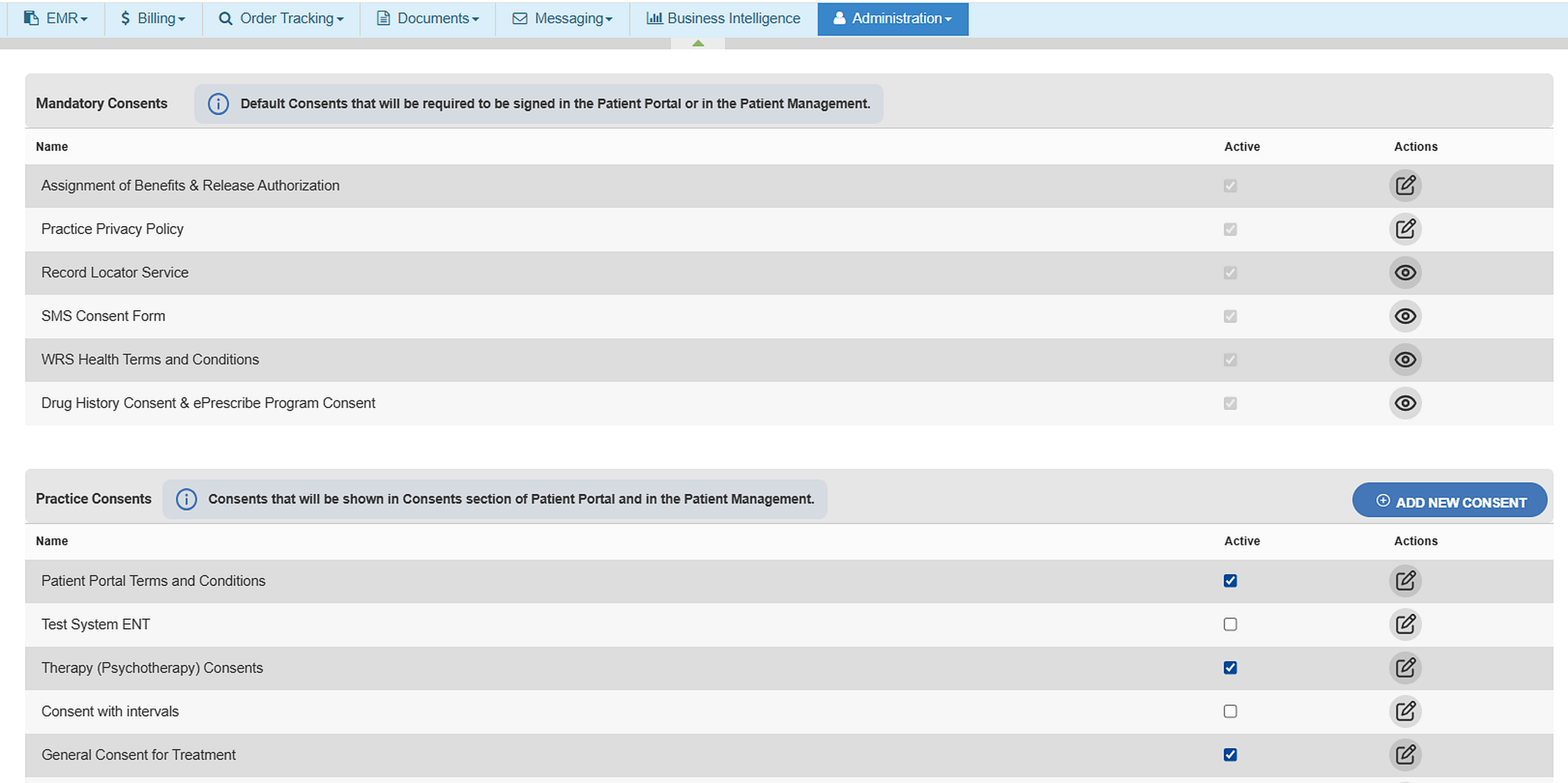
- Configure and manage practice-level consent inclusion in the EHR via Administration → Practice Setup → Patient Consent Management.

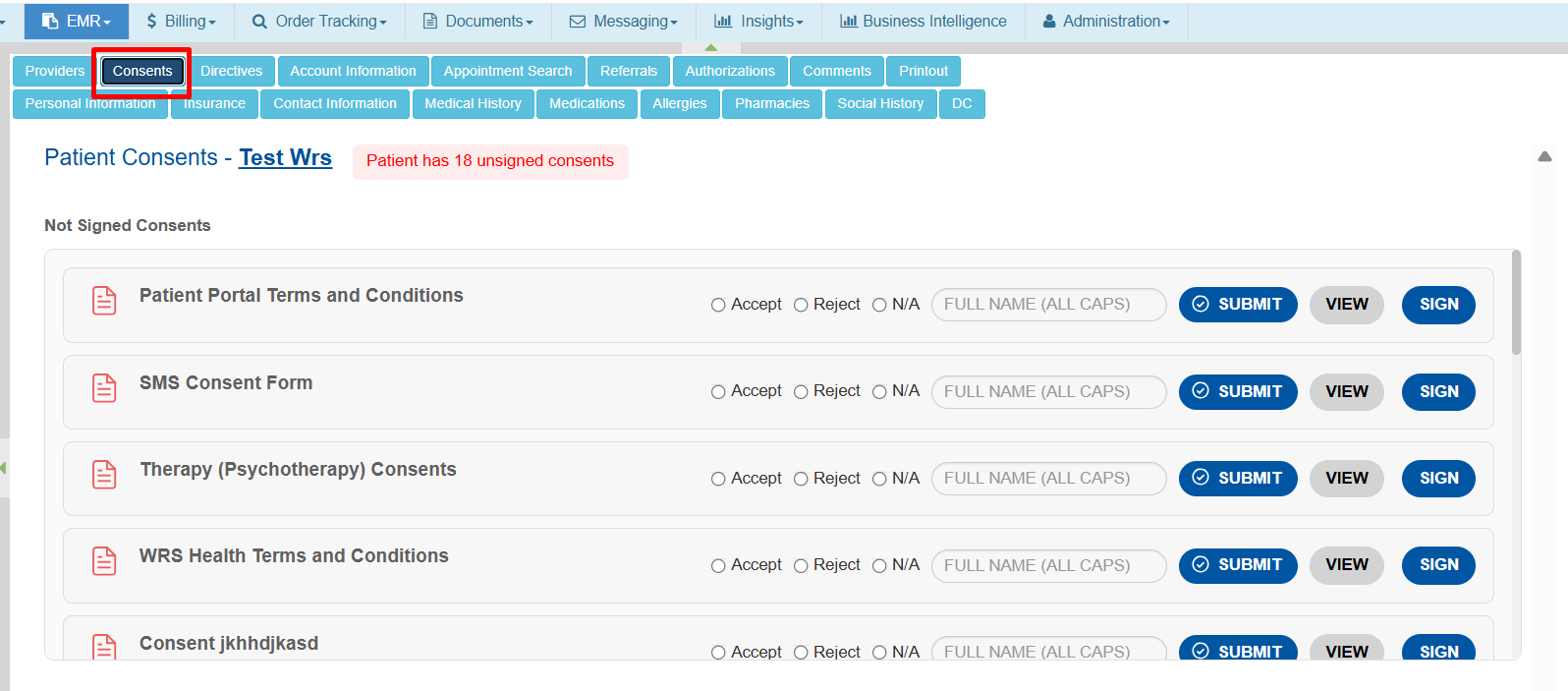
- Monitor patient signed and unsigned consents in the EHR under Patient Management → Consents

Use the Active/Inactive controls and sorting tools to refine which consents appear in your patient workflows.
Patient Portal
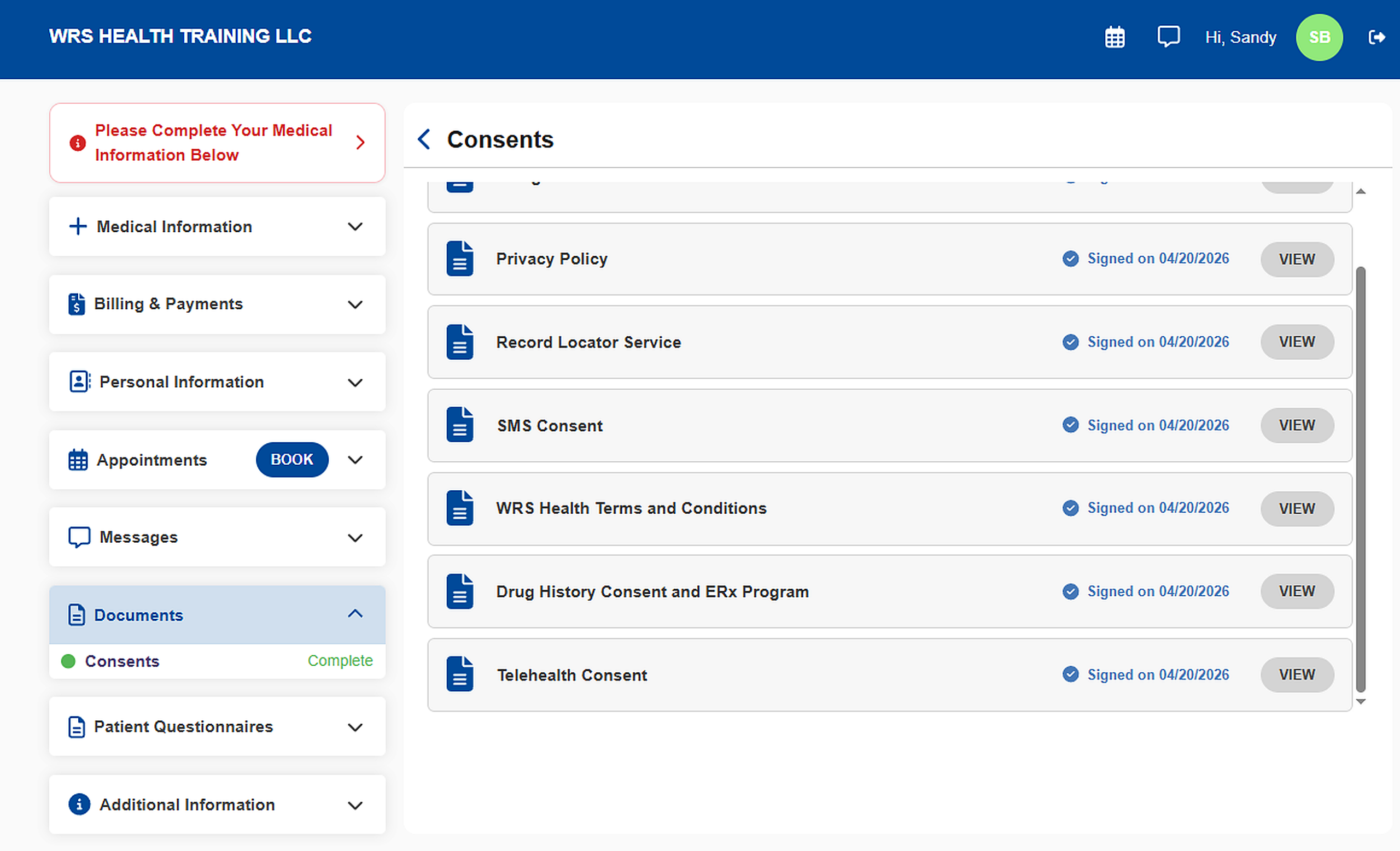
- Patients can easily access and sign their required consents in the Patient Portal under Documents → Consents.

Check Patient Consents Management in EHR and Patients Signature and Consents in Patient Portal for the full workflow guide.
Demo
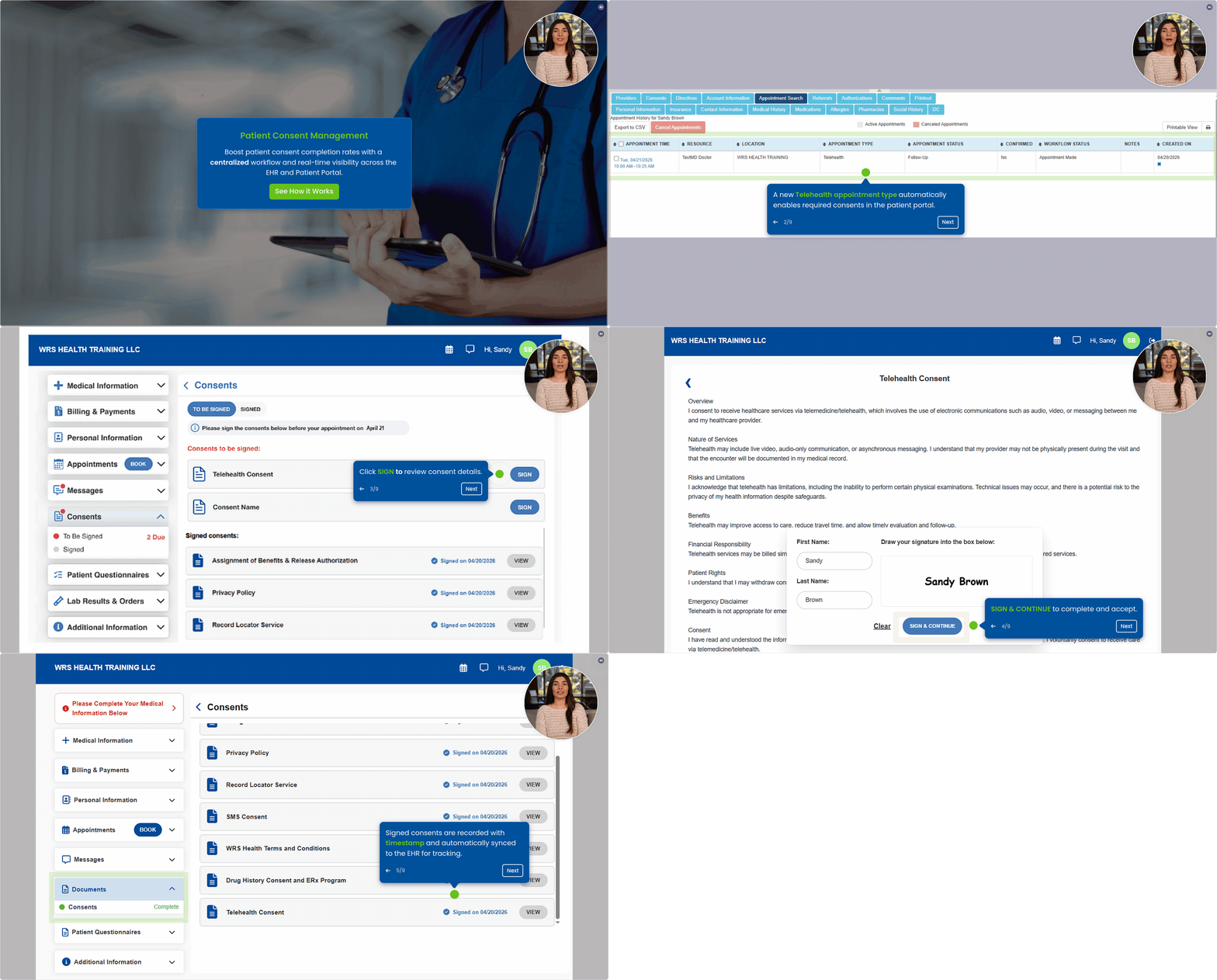
Take a sneak peek at the new Patient Signature and Consents! Click the demo link or select the image below to view the full walkthrough.
If you have questions or would like assistance setting up your consents, your Account Manager is ready to help.

If you would like more information, please contact your account manager.
Contact Your Account Manager