
| To: | WRS Health Users |
|---|---|
| From: | WRS Development Team |
| Date: | 05/27/2026 |
| Re: | Business Intelligence Dashboard Upgrade |
Items in This Release
- Business Intelligence Dashboard Upgrade
This release introduces a major upgrade to the analytics experience through a new and improved reporting tool, providing users with a more flexible, modern, and user-friendly platform for exploring data and insights.
Along with this migration, the dashboards have been enhanced with an improved user interface, cleaner visual organization, more compact layouts, and practical filtering capabilities. These improvements make it easier for users to explore data, identify trends, and act on key insights.
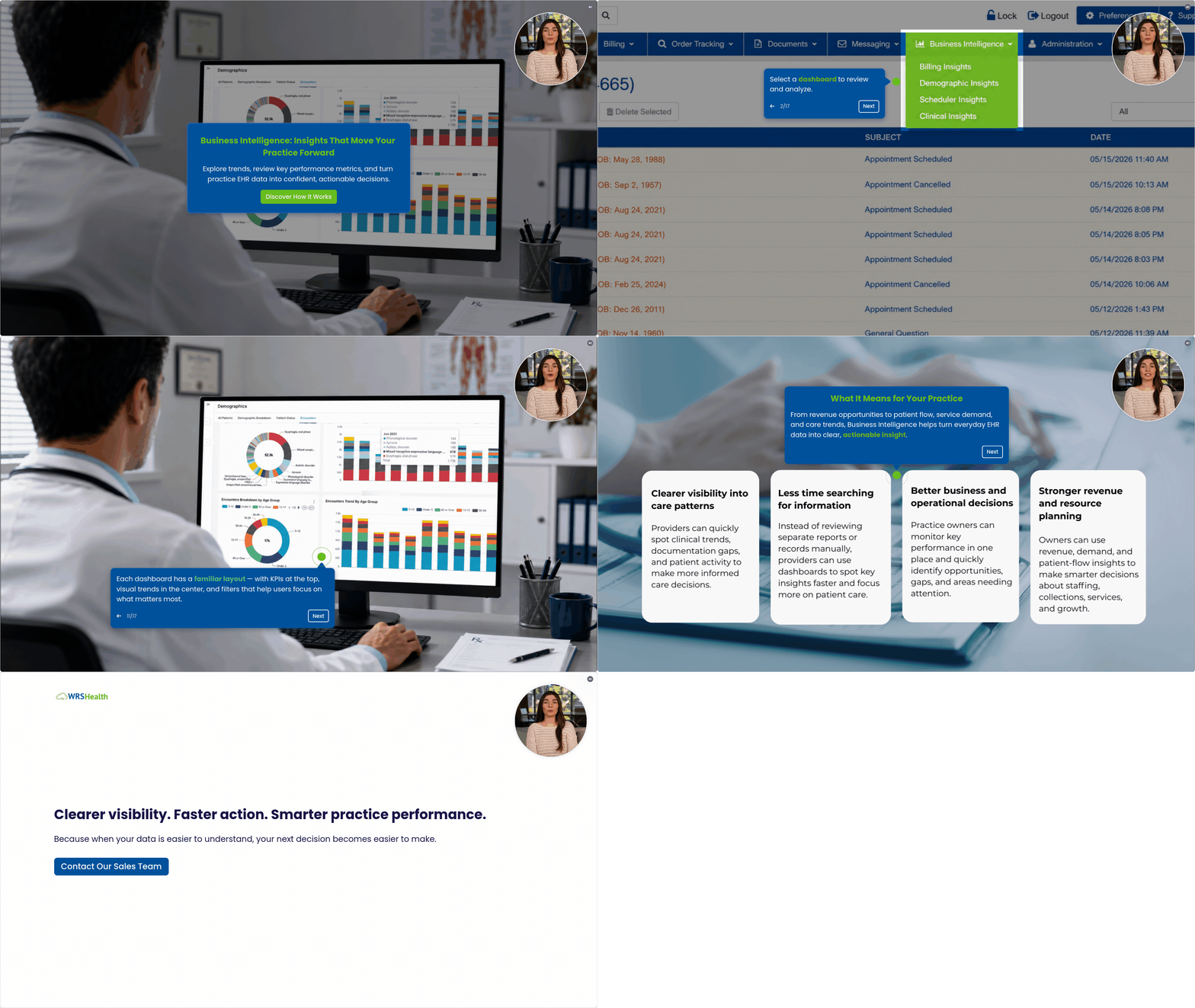
This release includes enhanced analytics dashboards across four key areas: Billing, Demographics, Scheduler, and Clinical. Together, these dashboards provide a more connected view of practice performance across revenue, patient population trends, appointment activity, and clinical care insights.
Key Enhancements
Reporting Platform Upgrade
This release introduces an upgraded reporting foundation designed to support improved dashboard performance, stronger scalability, and future analytics enhancements across the platform.
Improved UI/UX
Enhanced interface with a cleaner, more intuitive, and visually engaging design—making dashboards easier to navigate and insights quicker to interpret.
Compact & Organized Graphs
Optimized chart layouts that present information in a more structured and space-efficient way, reducing visual clutter and improving readability across dashboards.
Enhanced Filtering Experience
More practical and user-friendly filters that allow users to easily refine data by key dimensions (such as date, provider, location, and payor), helping you quickly find the information most relevant to your patients and operations.
Impact and Benefits
- Faster and more responsive dashboards
- Improved clarity and usability of data visualizations
- Better operational and financial visibility
- Enhanced ability to identify trends and take action
- Faster access to key insights during patient and operational review
- Stronger foundation for future analytics and AI-driven insights
Main Dashboards
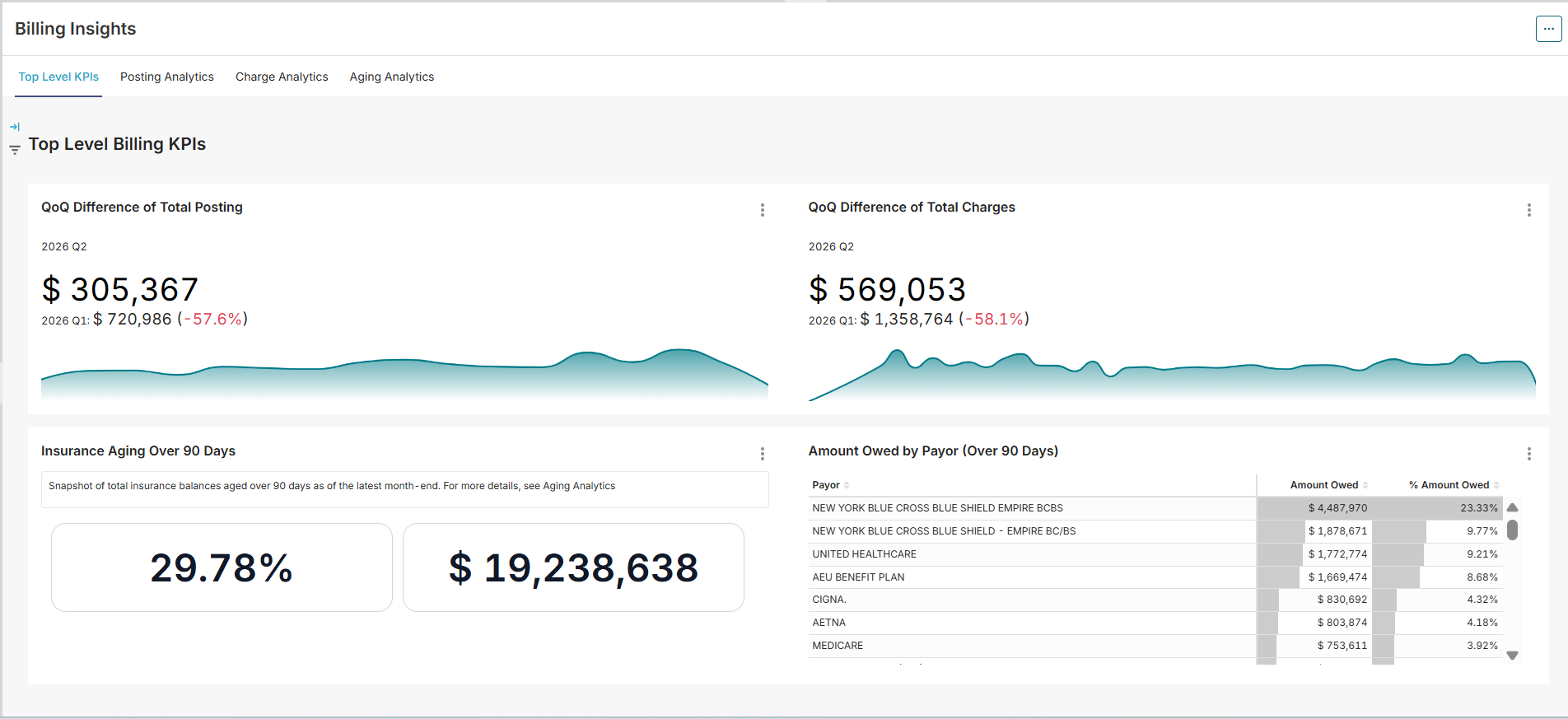
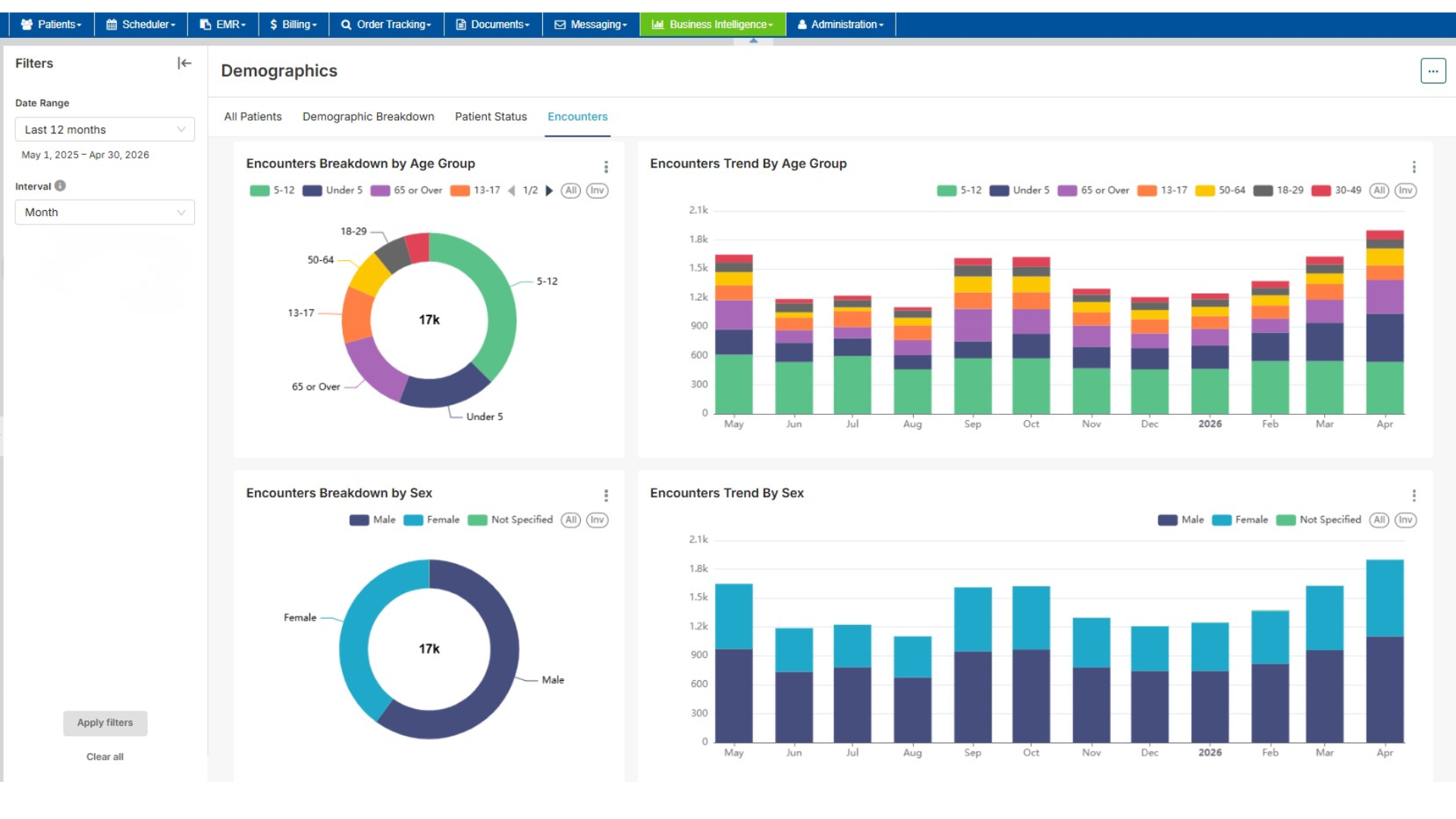
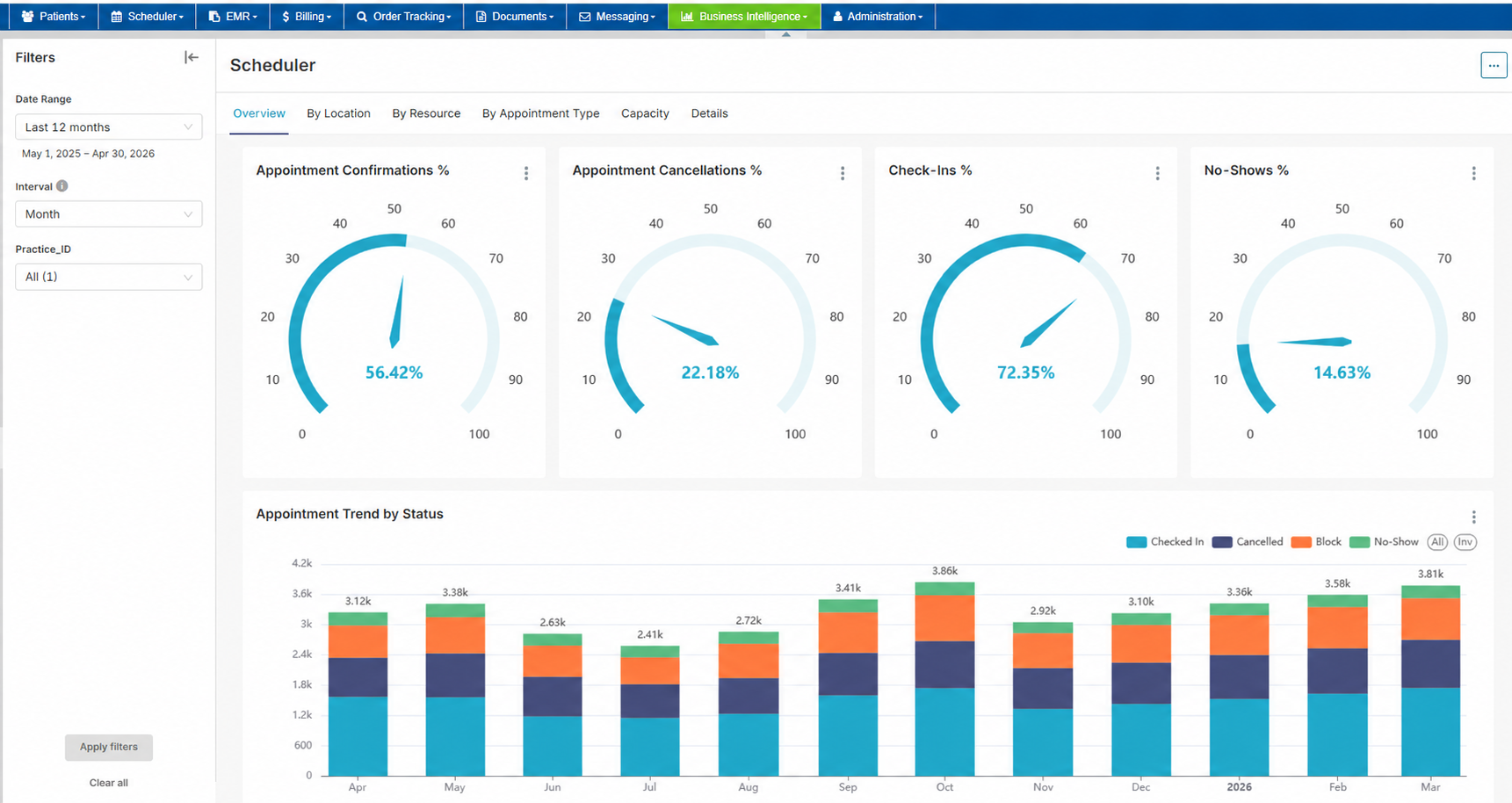
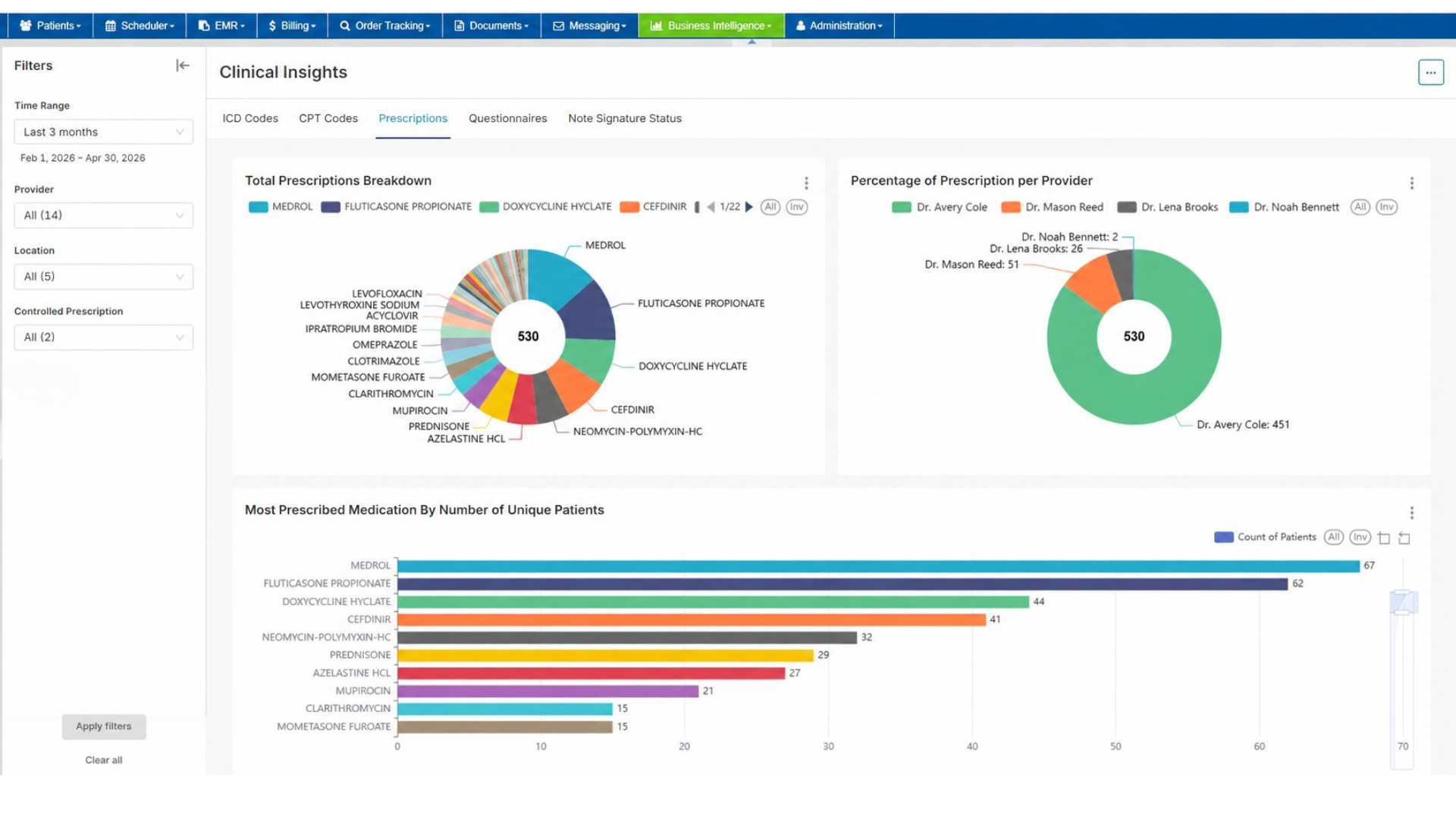
Check Business Intelligence User Guide and Business Intelligence Admin Configurations for the full workflow guide.
Demo
Take a sneak peek at the new experience, click this demo link or the image below.
Enablement
Already subscribed? Start exploring the upgraded Business Intelligence Dashboards today.
Not subscribed yet? Try the dashboards with a 14-day trial and see how interactive insights can help your practice make smarter decisions.
Contact your Account Manager to activate your trial or learn more about subscription options.

If you would like more information, please contact your account manager.
Contact Your Account Manager