
Billing and Payments in the Patient Portal
Patients can conveniently view and pay their medical bills online through the Patient Portal. The Billing & Payments section allows you to review current statements and make secure online payments using multiple payment methods, including Credit Card, ACH (Bank Transfer), Apple Pay, and Google Pay.
Viewing Your Current Statements
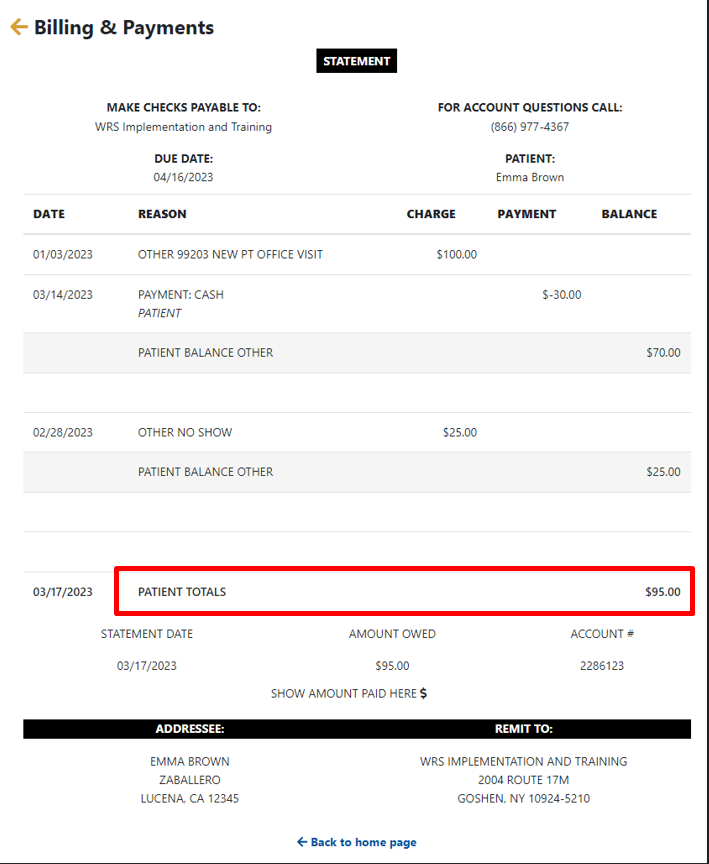
Your current statement shows the amount due as of today, including any outstanding balances from previous visits.
To view your statement, go to Billing & Payments → View Current Statement.
Making an Online Payment
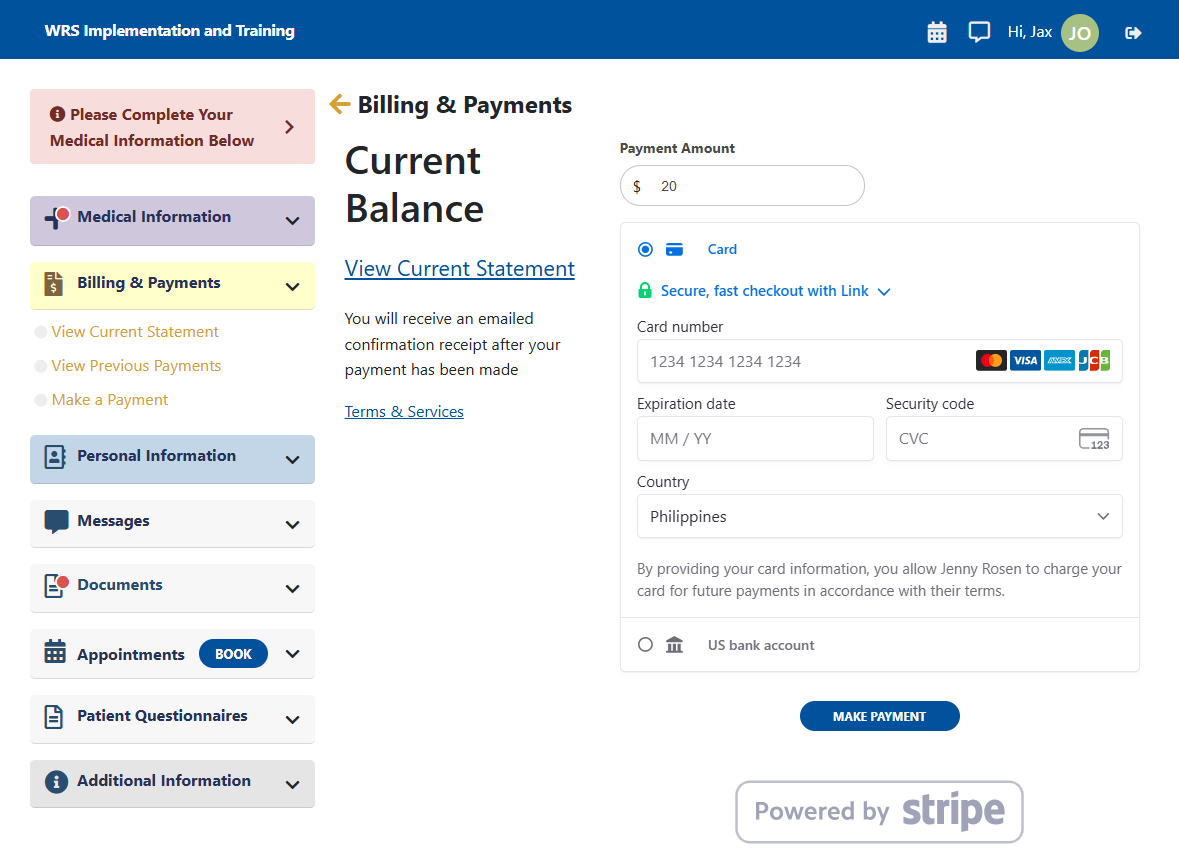
- Navigate to Billing & Payments → Make a Payment.
- The amount displayed reflects your current balance. To make a partial payment, enter the amount you wish to pay.
- Under Payment Method, select one of the available options:
- Credit Card
- ACH Bank Transfer
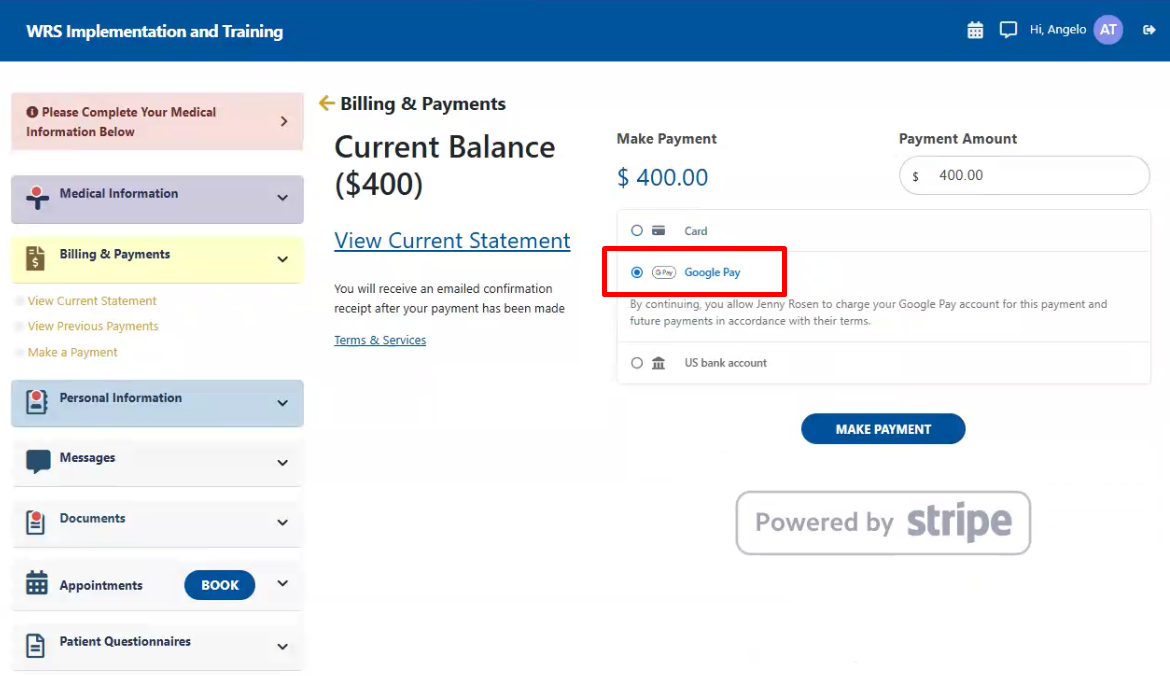
- Google Pay
- Apple Pay
Paying with a Credit Card
- Choose one of the following:
- Saved Credit Card – Use a previously saved card for quick payment.
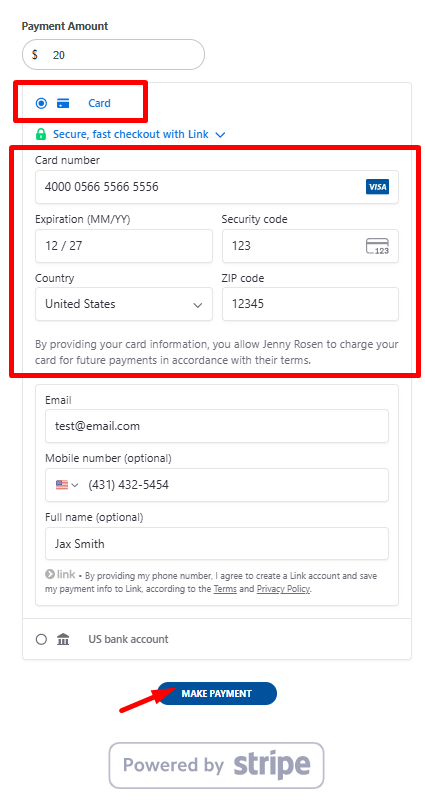
- New Credit Card – Enter your card details exactly as they appear on the card.

- For New Credit Card, enter your card account details.

➜

- Click Make Payment to complete transaction.
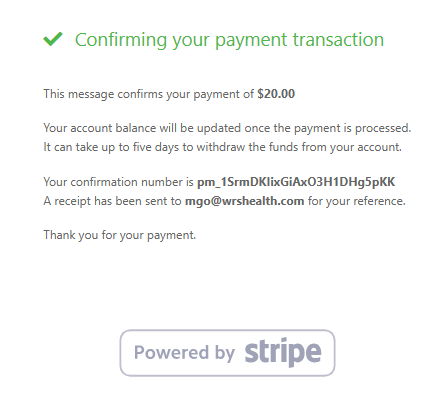
- You will see an on-screen confirmation and receive an email receipt once the payment is processed.
Paying with ACH (Bank Transfer)
ACH payments allow you to pay directly from your bank account.
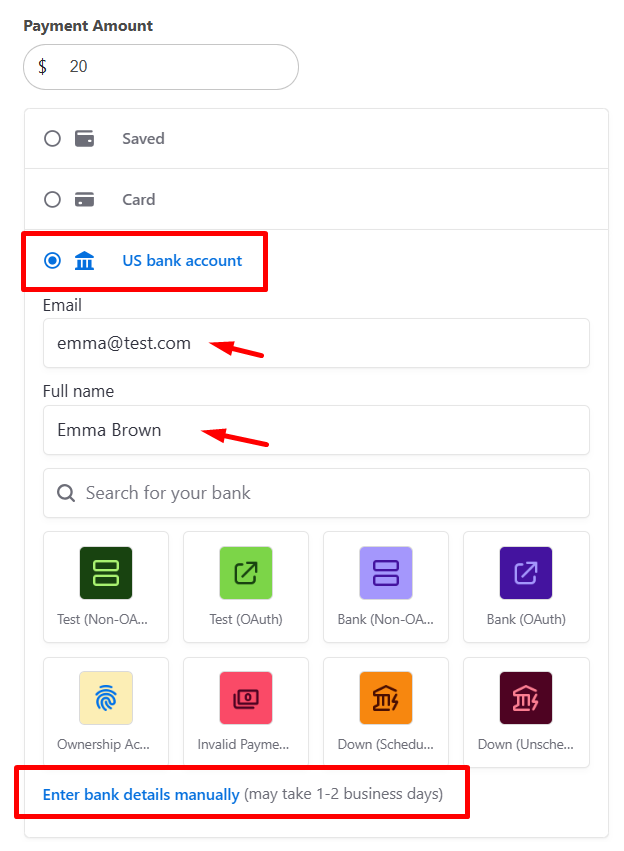
- Select ACH (Bank Transfer) as the payment method.
- Enter your email address and full name.
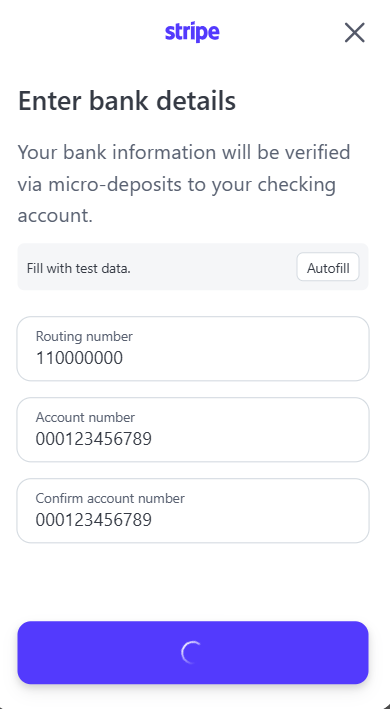
- Search for and select your bank or Enter Bank Details Manually at the bottom of the page.

➜

- Enter the required bank details:
- Routing Number
- Account Number
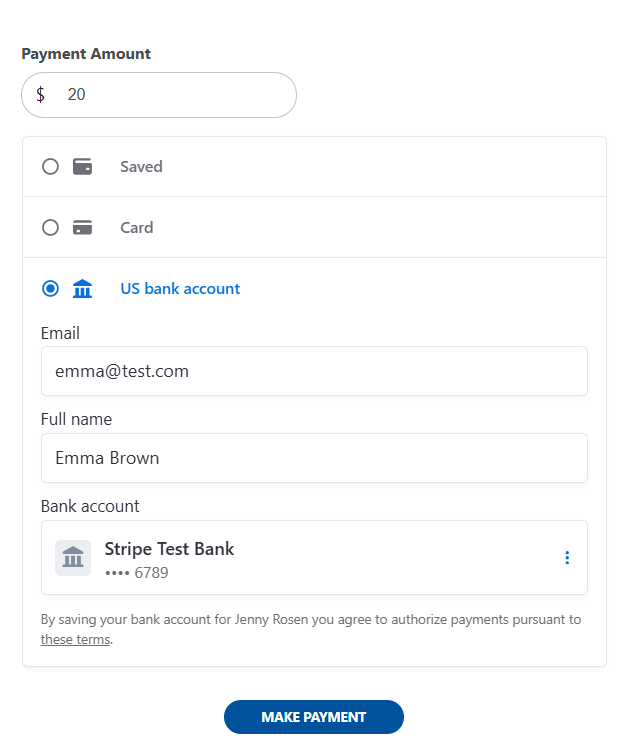
- Confirm your account and submit.
- Review the payment amount.
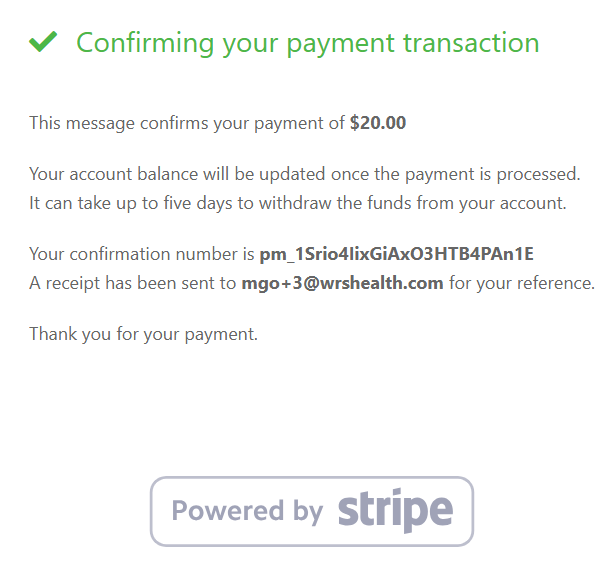
- Click Make Payment to submit your request.
➜
Notes
- ACH processing time: Payments may take 1–3 business days to complete.
- Pending status: Your payment may appear as Pending until processing is finalized.
- Email confirmation: You will receive an email once your payment has been successfully submitted.
Paying with Google Pay
Google Pay enables quick payments using your saved Google payment methods.
- Select Google Pay as the payment method.

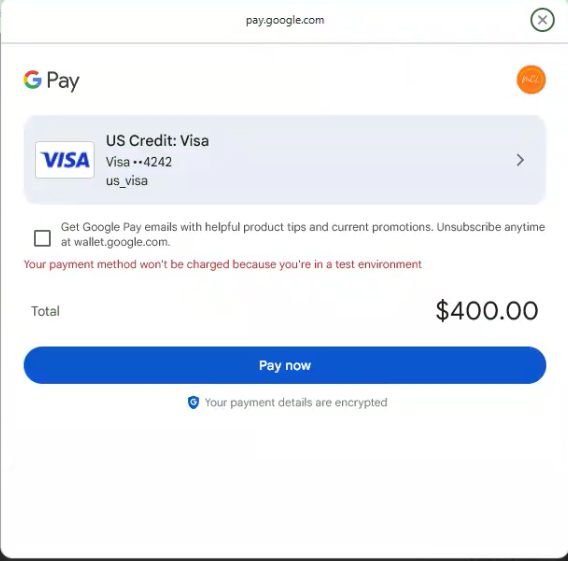
- Choose a saved card or payment option from your Google Pay wallet.
- Review and click Pay Now complete transaction.

➜
- After completion:
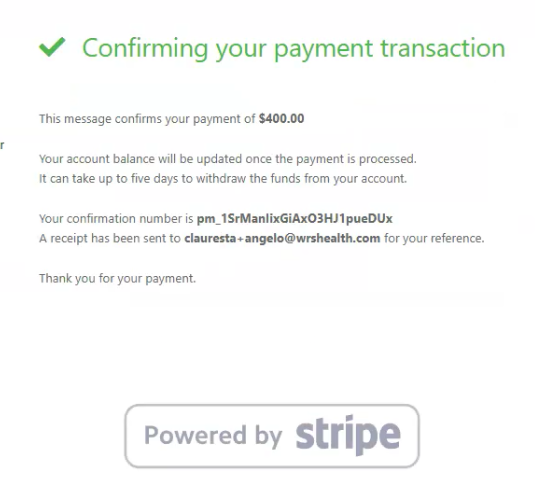
- A confirmation message will appear on screen.
- An email receipt will be sent to your registered email address.
Notes
-
- Apple Pay & Google Pay: Both follow a similar checkout process and are displayed automatically on supported devices and browsers.

Still no luck? We can help!
Contact us and we'll get back to you as soon as possible.
Submit a Request