
| To: | WRS Health Users |
|---|---|
| From: | WRS Development Team |
| Date: | 12/02/2025 |
| Re: | View Note Link for Supervising Providers |
Items in This Release
- View Note Link for Supervising Providers
This release enhances the Delegated Prescription Queue by adding a View Note link that allows supervising providers to open the originating chart note directly from the queue. This update reduces navigation time and streamlines the prescription review and approval process.
What’s new
- A new View Note icon/button is now available in the Actions column of the Delegated Prescription Queue. (both for Controlled and Non-Controlled prescription queues)
- Clicking the icon opens the chart note where the prescription was originally created, allowing immediate access to clinical context.
How to Access
- Login as a Supervising provider.
- Navigate to your Delegated Prescriptions queue, go to EMR → Non-Controlled Rx Queue (or Controlled Rx Queue).

- Click the
 icon to open the patient’s note for review.

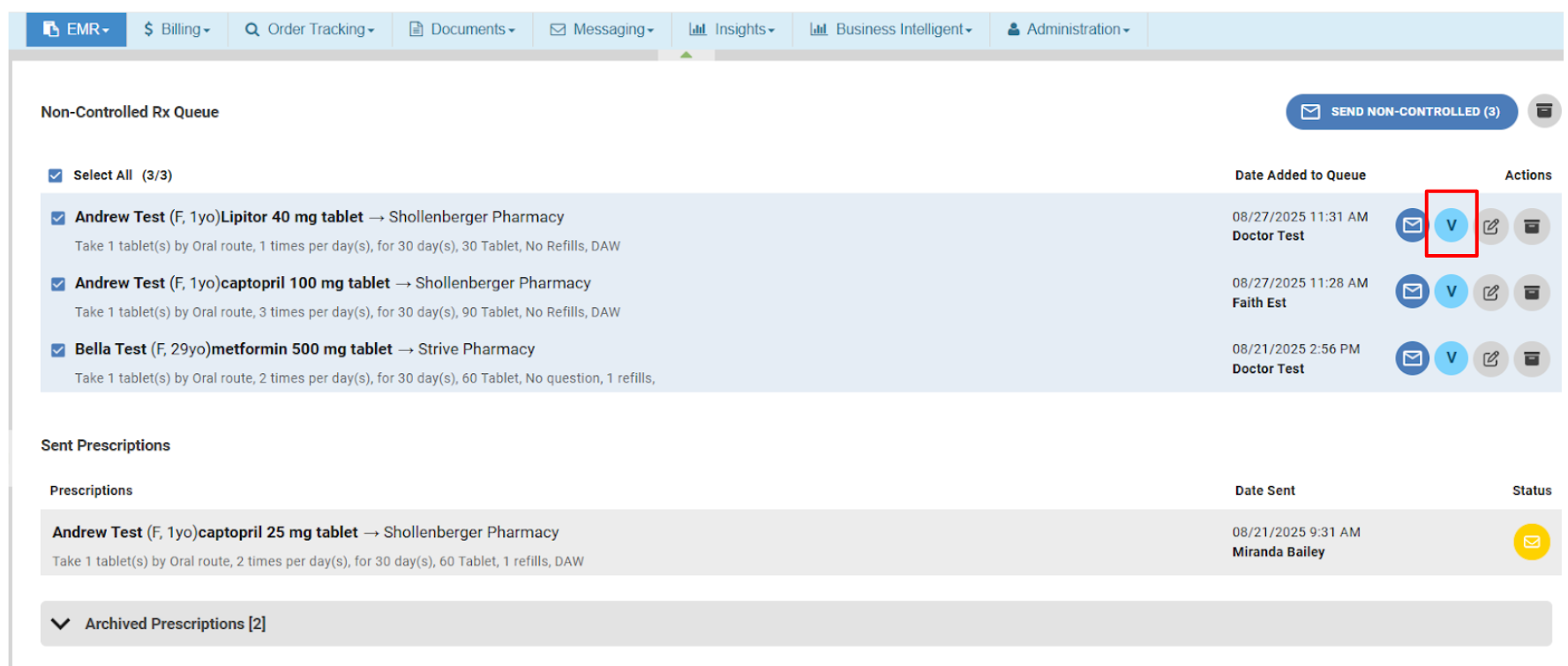
 icon to open the patient’s note for review.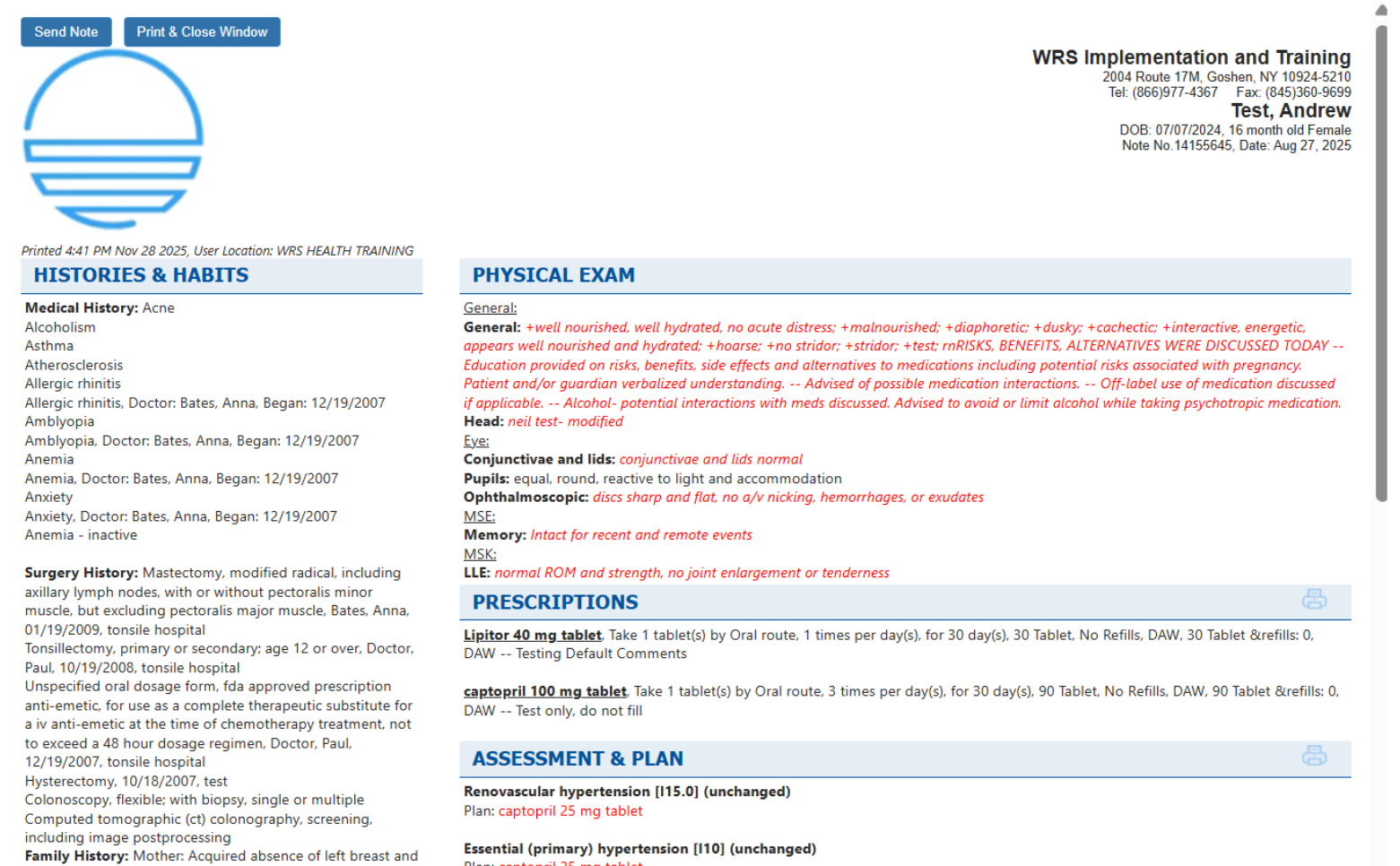
NOTES
To learn more about the full prescribing process, please review the Delegated Prescriptions Queue Guide for Controlled Prescriptions or Non-Controlled Prescriptions.

If you would like more information, please contact your account manager.
Contact Your Account Manager