
| To: | WRS Health Users |
|---|---|
| From: | WRS Development Team |
| Date: | 12/02/2025 |
| Re: | User-Level AI Scribe Template Configuration |
Items in This Release
- User-Level AI Scribe Template Configuration
A new user level setting in EHR Preferences now allows providers to select their preferred AI Scribe templates. MobileMD will automatically load these templates by default, helping streamline documentation and minimize extra steps.
What’s new
A new AI Scribe Template section has been added to EHR Preferences. This update allows each provider to:
- Enable one or more preferred AI Scribe templates from a predefined list.
- Automatically apply their selected template(s) when launching AI Scribe through MobileMD app.
- Maintain template preferences across devices and login sessions
This ensures more consistent documentation workflows and eliminates the need to repeatedly choose templates.
Why this Matters
Providers often work across different specialties, patient types, or documentation styles. By giving each user control over which AI Scribe template loads by default, we:
- Reduce repetitive steps during documentation
- Improve workflow efficiency
- Support personalized charting needs
- Provide template consistency across all sessions
How to Configure Your AI Scribe Template
- Login to your EHR.
- Go to EHR Preferences → select AI Scribe Templates.
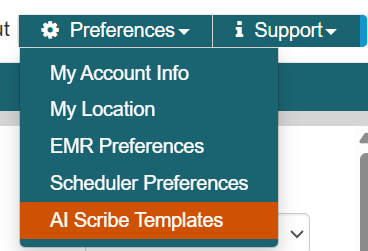
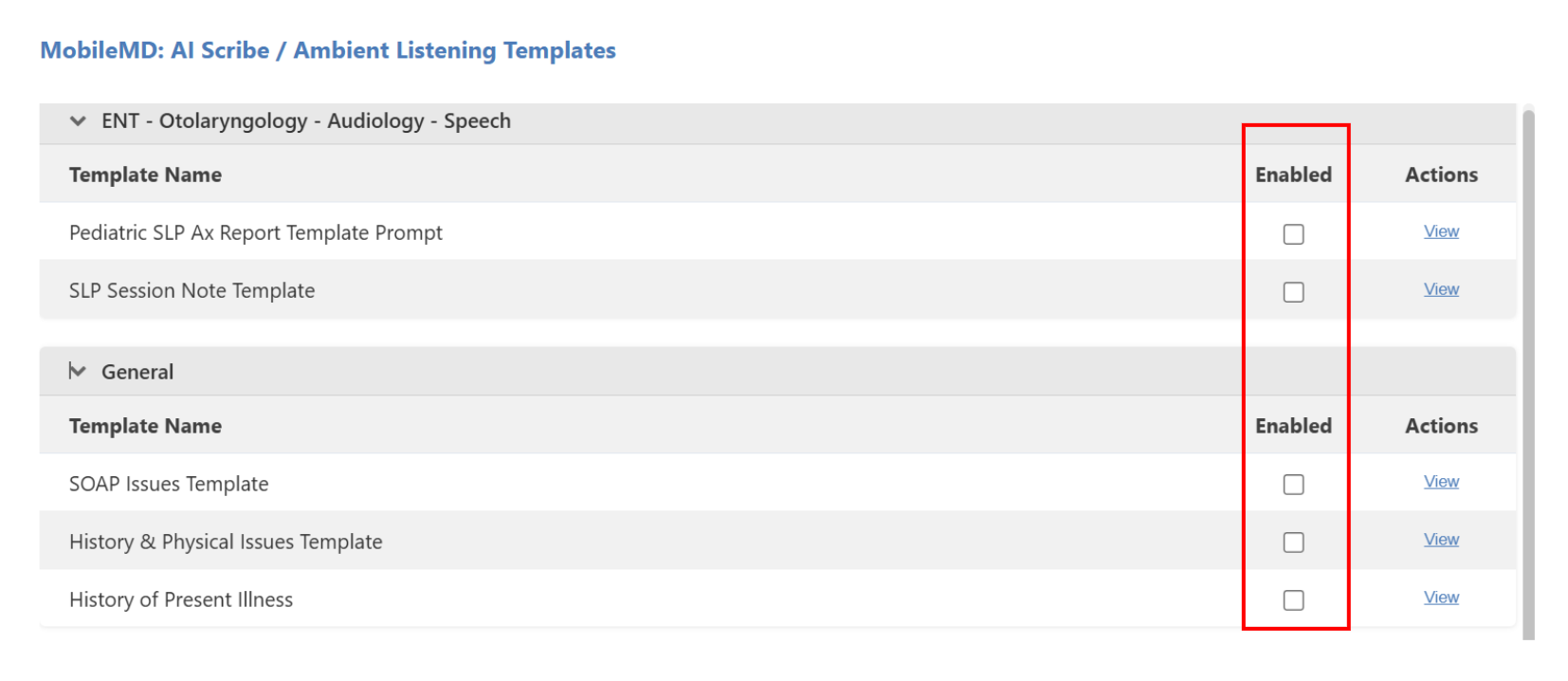
- Browse the available template groups by specialty. Review the template details.
- Enable your preferred template(s) to set them as your default when using MobileMD app.
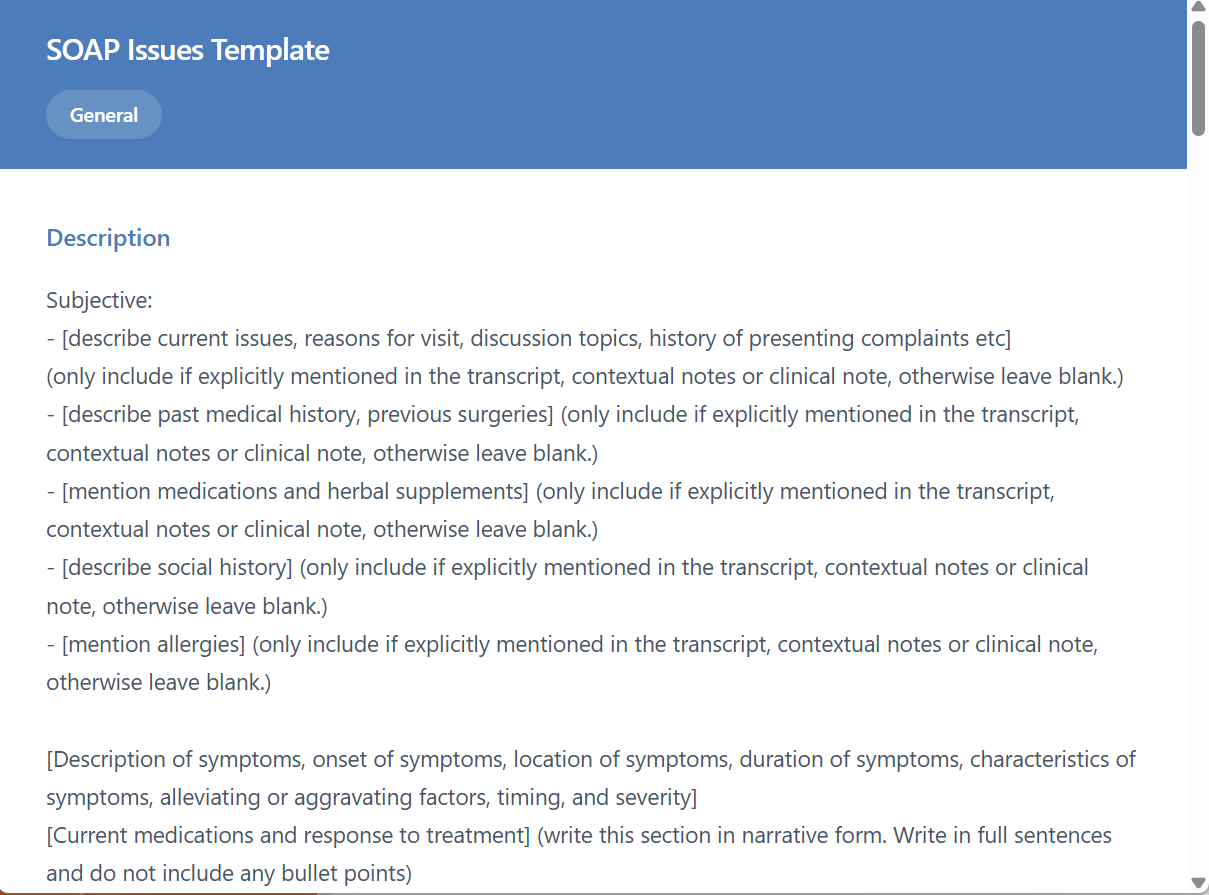
Sample template structure when viewed.

If you would like more information, please contact your account manager.
Contact Your Account Manager