
| To: | WRS Health Users |
|---|---|
| From: | WRS Development Team |
| Date: | 12/05/2025 |
| Re: | New Lab Results Viewer |
Items in This Release
- New Lab Results Viewer
The New Lab Results Viewer introduces a redesigned, enhanced interface for reviewing and interpreting laboratory results directly within the EHR.
Built on an enhanced data foundation with improved parsing and data-handling processes, this update ensures accurate, consistent, and comprehensive lab result displays across all test types.
The new viewer empowers providers to visualize patient trends, spot important changes, and complete result reviews faster through dynamic charts, tables, and streamlined navigation—all without navigating from one page to the other.
The current release supports lab results transmitted electronically through the Lab Interface. Integration of faxed, PDF-based, and manually entered results is planned for future updates and is actively underway.
What’s new
- Enhanced User Interface – A fully refreshed layout that improves readability, speed, and accessibility across devices.
- Interactive Graph and Table Views – Easily toggle between visual and tabular formats to track patient trends and compare results over time.
- Enhanced Data Processing – Built on advanced, AI-supported data processing that ensures accurate, consistent, and reliable presentation of all lab results.
- Enhanced Navigation – Both the List View and Table View are now fully scrollable in all directions, providing smoother access to content regardless of screen size or data length.
- Consistent Display of Historical Results – Lab results are now organized by panel and further grouped by test name and encounter, ensuring clearer longitudinal tracking.
How to Access in EHR
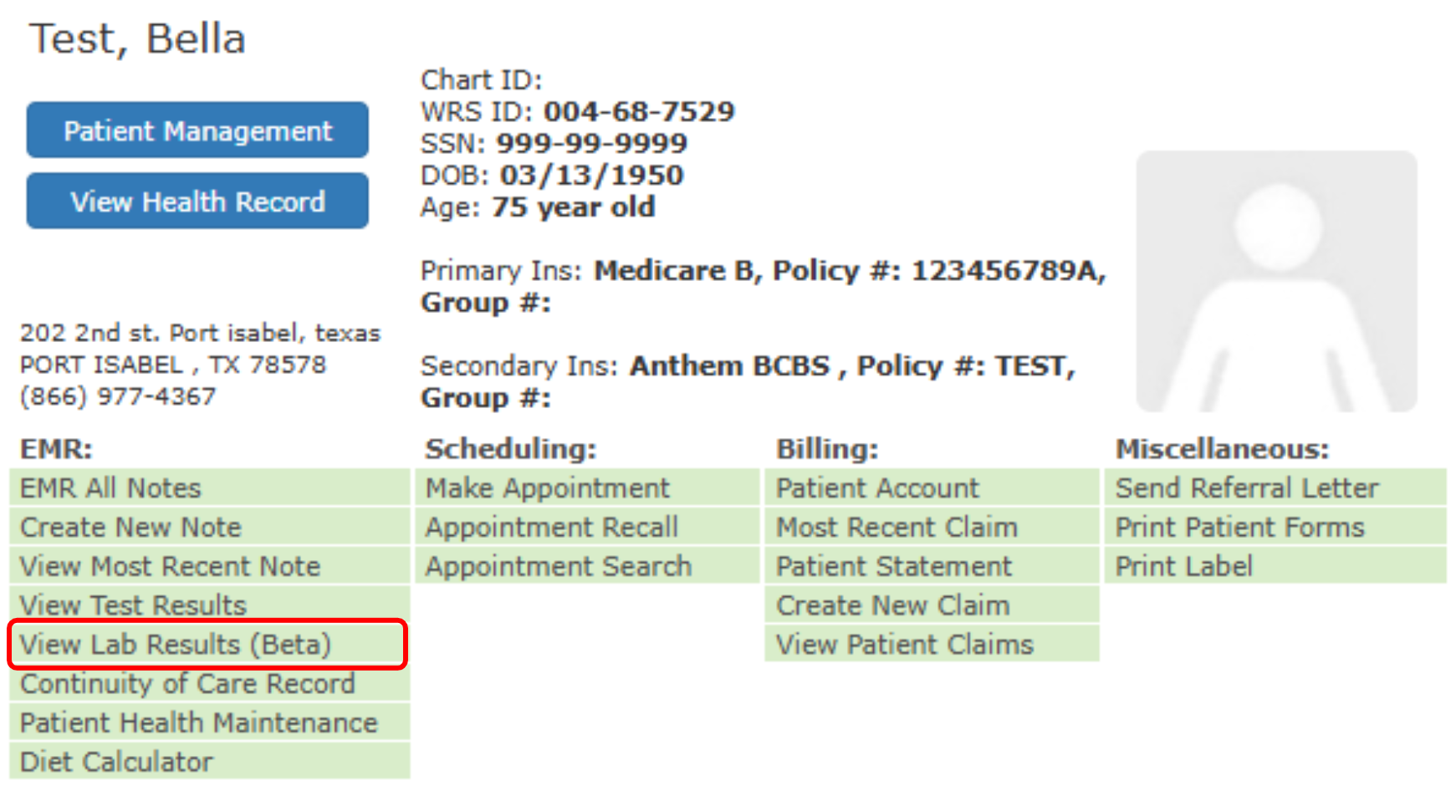
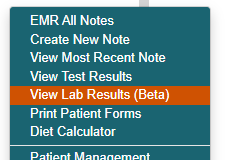
You can access a patient’s Lab Results with the new viewer through several convenient entry points within the EHR:
- From Today’s Appointment List: Hover over on patient’s name → View Lab Results (Beta)

- From Today’s Appointment List, or from Recently viewed patient: Right+click on patient’s name → View Lab Results (Beta)
- Search for a patient: Right+click on patient’s name → View Lab Results (Beta)

For the complete provider workflow on reviewing patient’s lab results, please visit Reviewing Patient’s Lab Results Guide.

If you would like more information, please contact your account manager.
Contact Your Account Manager