
| To: | WRS Health Users |
|---|---|
| From: | WRS Development Team |
| Date: | 03/12/2026 |
| Re: | Medication Transactions Page – Fill Dates and Note to Pharmacist Columns |
Items in This Release
- Fill Dates and Note to Pharmacist Columns
The Medication Transactions page has been enhanced to improve prescription visibility and clarity. Two existing prescription fields—Fill Dates and Note to Pharmacist—are now displayed directly within the medication prescription pages and the medication transactions list.
This allows providers and staff to quickly identify the intended start date of prescriptions and view any instructions directed to the pharmacist without opening individual prescription records.
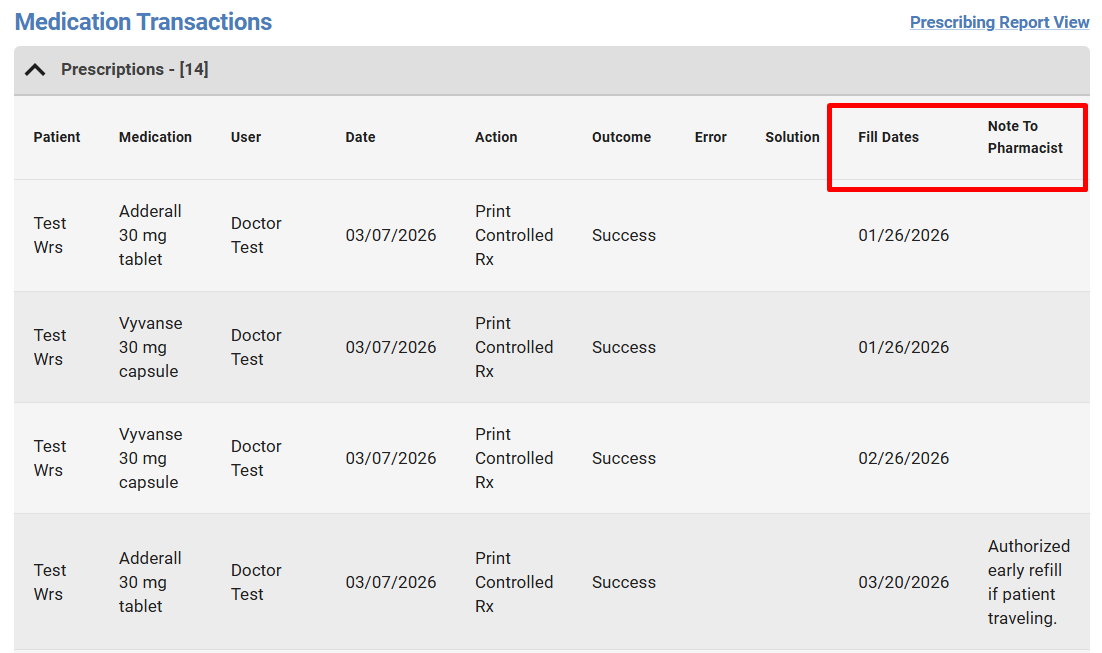
By surfacing this information in the transaction view, users can now easily distinguish prescriptions that may appear identical but are intentionally issued with different future fill dates, improving workflow efficiency and reducing potential confusion.
What’s New
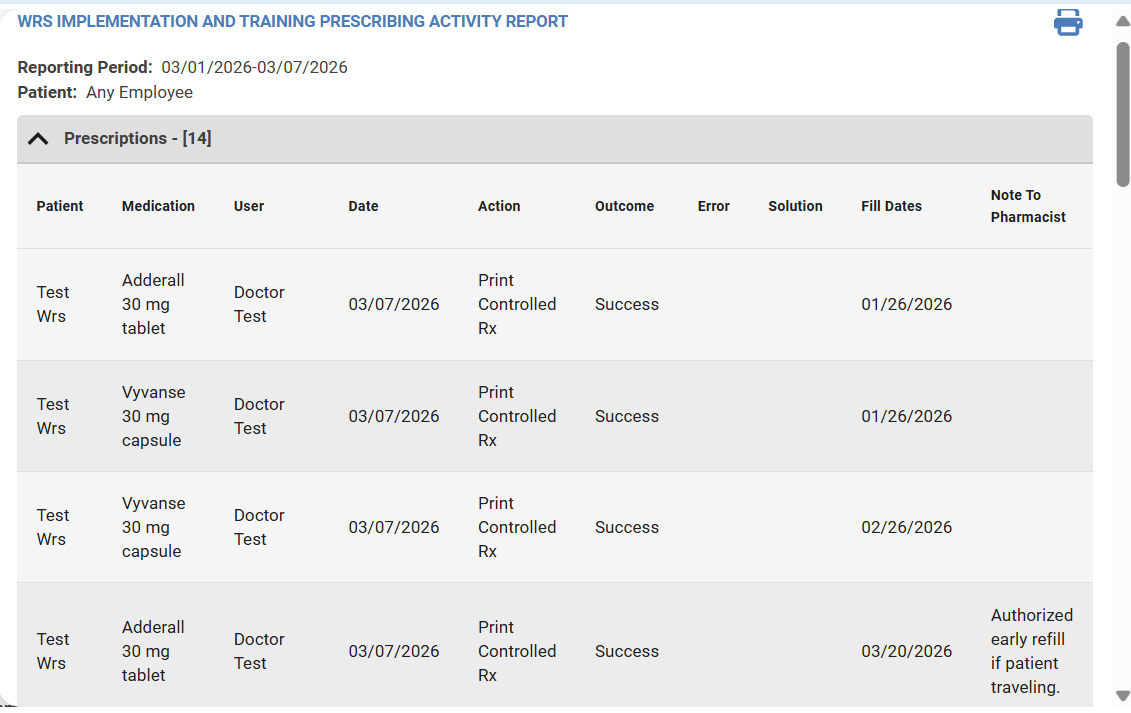
When viewing the Medication Transactions page, users will now see two additional columns in the transaction list.
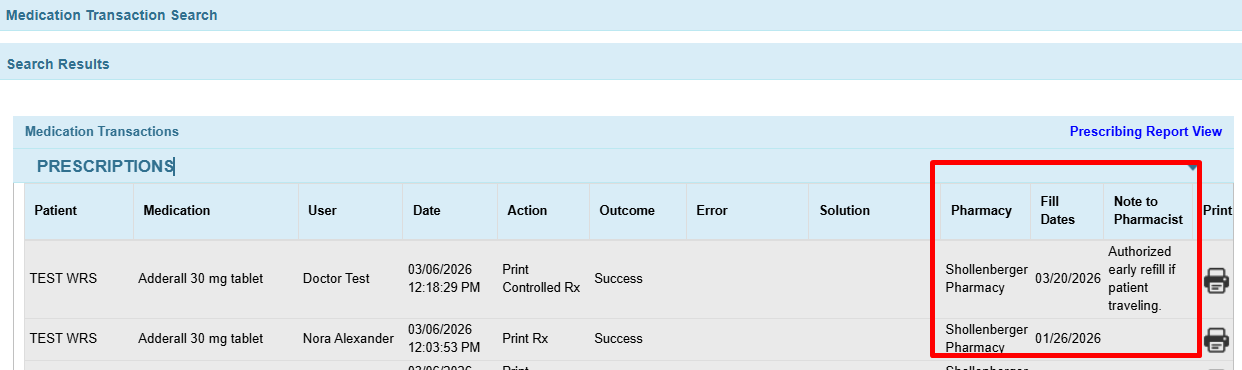
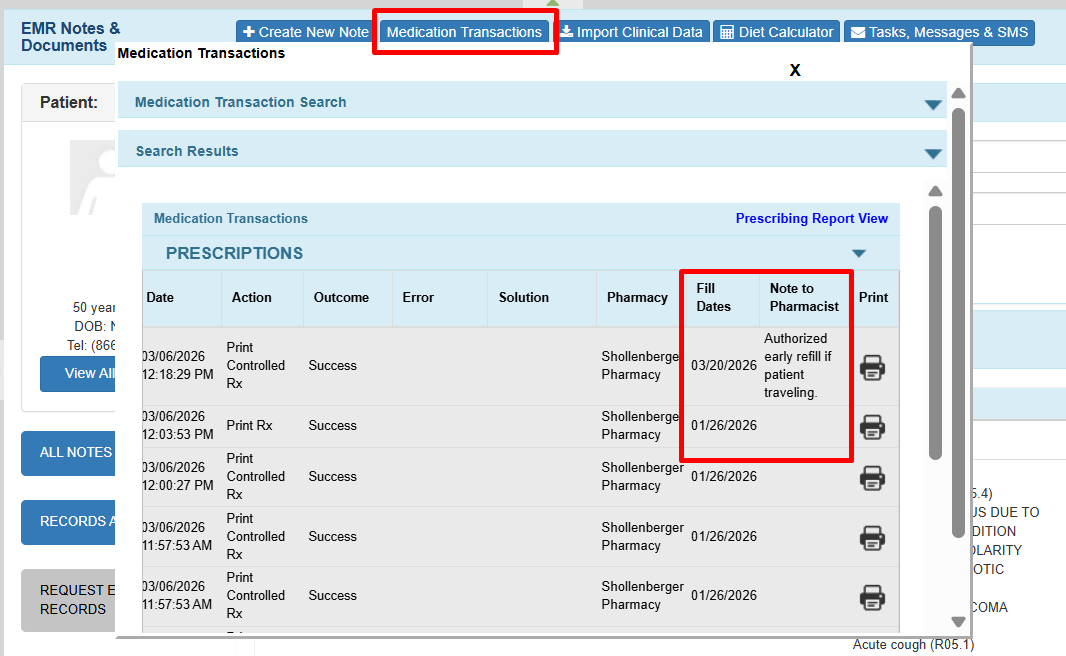
- Fill Dates – Displays the prescription Start Date, which represents the authorized fill date for the medication.
- Note to Pharmacist – Displays any instructions entered in the Note to Pharmacist field from the prescription details dialog.
These columns allow providers and staff to quickly identify prescriptions with future fill dates and review pharmacist instructions without opening each transaction individually.
How It Works
The Fill Date and Note to Pharmacist columns are now visible on the Medication Transactions pages, eliminating the need to open individual transactions when viewing this information.
To access these fields, navigate to the following pages in the EHR:
- Administration → Medication Setup → Medication Management → Prescriptions

- EMR All Notes → Medication Transaction → Prescriptions

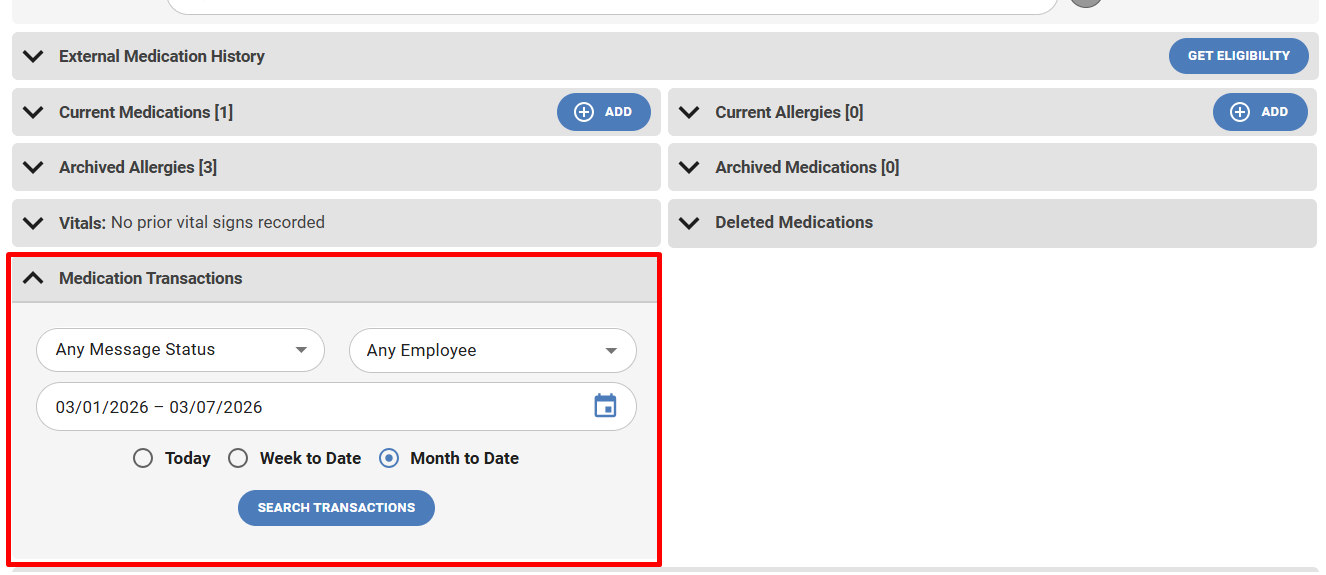
- These fields can also be referenced from the Patient’s Note when using both the Medications and Medications 2.0 pages.
- Open the Patient Note.
- Navigate to Medications or Medications 2.0.
- Select Medication Transactions.
- Search for Prescriptions.

- The Fill Date and Note to Pharmacist columns will be visible within the transaction list.

- Print Report Page


If you would like more information, please contact your account manager.
Contact Your Account Manager