
| To: | WRS Health Users |
|---|---|
| From: | WRS Development Team |
| Date: | 03/12/2026 |
| Re: | Medication Reconciliation Agent Enhancement – Demographic Data Collection |
Items in This Release
- Demographic Data Collection Agent
This release introduces an enhancement to the Patient Portal Medication Reconciliation workflow that uses an intelligent demographic data collection sub-agent to verify and collect patient demographic information required for retrieving medication history from Surescripts.
Previously, medication history requests could not be processed if required demographic data or consent are missing from the patient’s record. With this enhancement, the agent automatically checks whether the necessary information is available and prompts the patient to provide any missing data during the Medication Reconciliation process.
This automated process helps ensure medication history requests can be completed successfully without requiring manual follow-up from practice staff.
What’s New
The Medication Reconciliation Agent in the Patient Portal has been enhanced to include a demographic data collection sub-agent that verifies if required demographic information is available before retrieving medication history. The agent automatically prompts the patient to complete the necessary details before continuing the Medication Reconciliation process.
Why This Matters for Your Practice
- Improves the success rate of medication history requests sent to Surescripts.
- Ensures required patient demographic information and consent are collected before medication reconciliation begins.
- Reduces administrative follow-up by allowing patients to complete missing information directly in the Patient Portal.
- Provides clinicians with more complete medication history information to support safer prescribing and reconciliation workflows.
How It Works
When a new patient logs in to the Patient Portal and navigates to: Medical Information → Medications
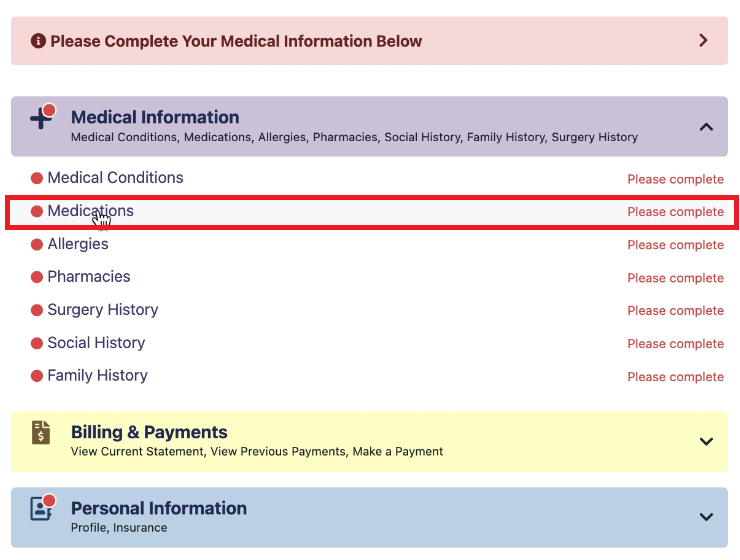
The system activates the Medication Reconciliation Agent to verify whether the required demographic data exists in the patient’s record.
- When Required Information Is Missing
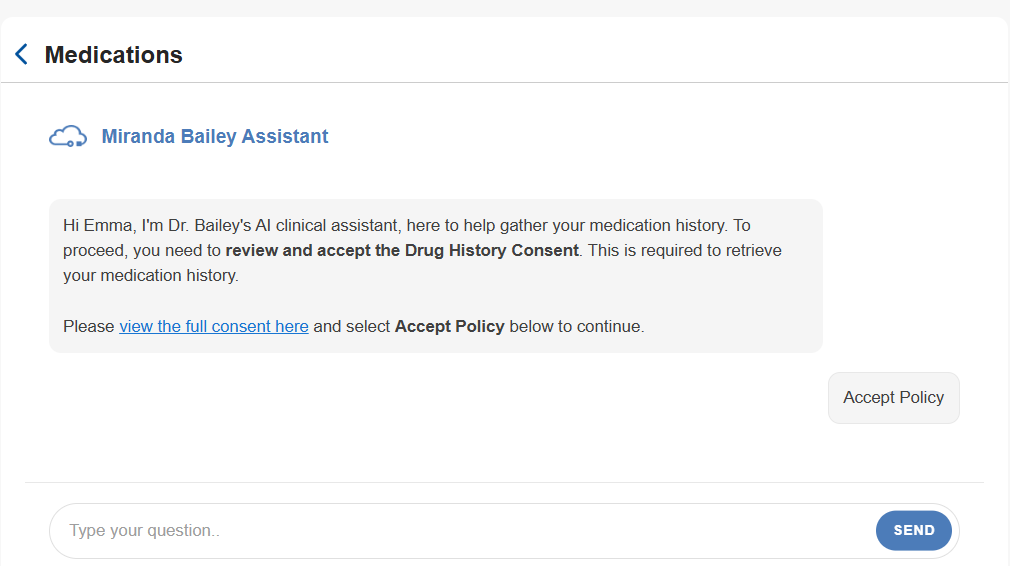
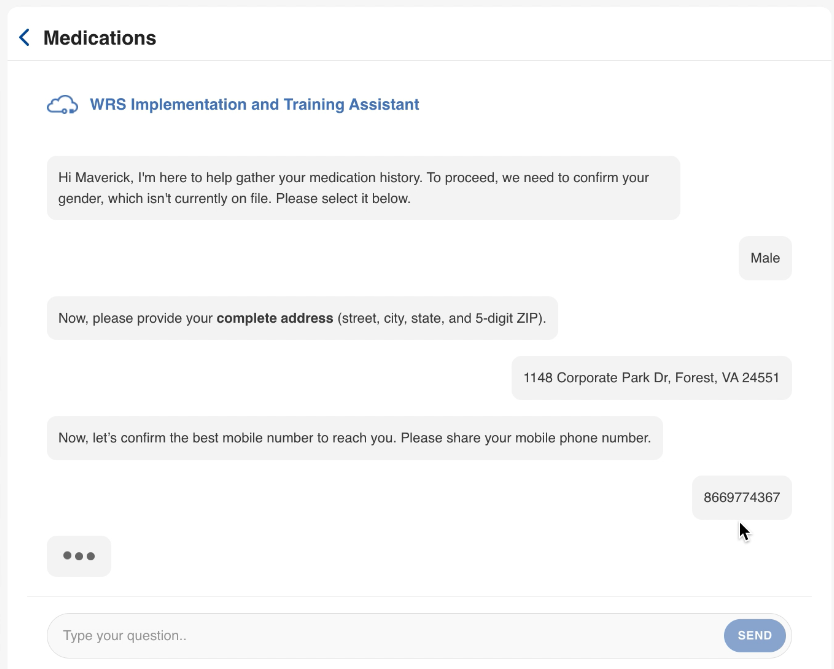
If any of the required fields are not on file, the agent prompts the patient to complete the following information:- Signed Drug History Consent
- Gender
- Home Address
- Contact Number
The patient must complete these fields before moving to the next step.
|
Medications Page Showing Agent Prompt for Drug History Consent
|
Medications Page Showing Agent Prompt for Missing Fields
|
- Medication History Request
Once all required information is completed and saved, the system automatically sends a Medication History Request to Surescripts, provided that the patient has eligible PBM insurance coverage.
The response is returned immediately and processed by the system.
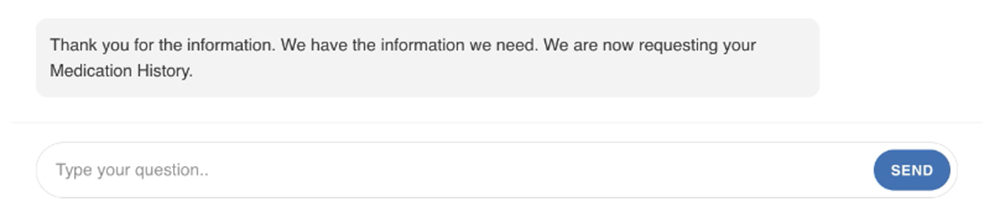
If medication history is not displayed after the request, clinical staff can verify the patient’s pharmacy coverage in Patient Management → Insurance in the practice EHR.
- Medication History List
After the request is completed, the patient can view all their previously prescribed medications.
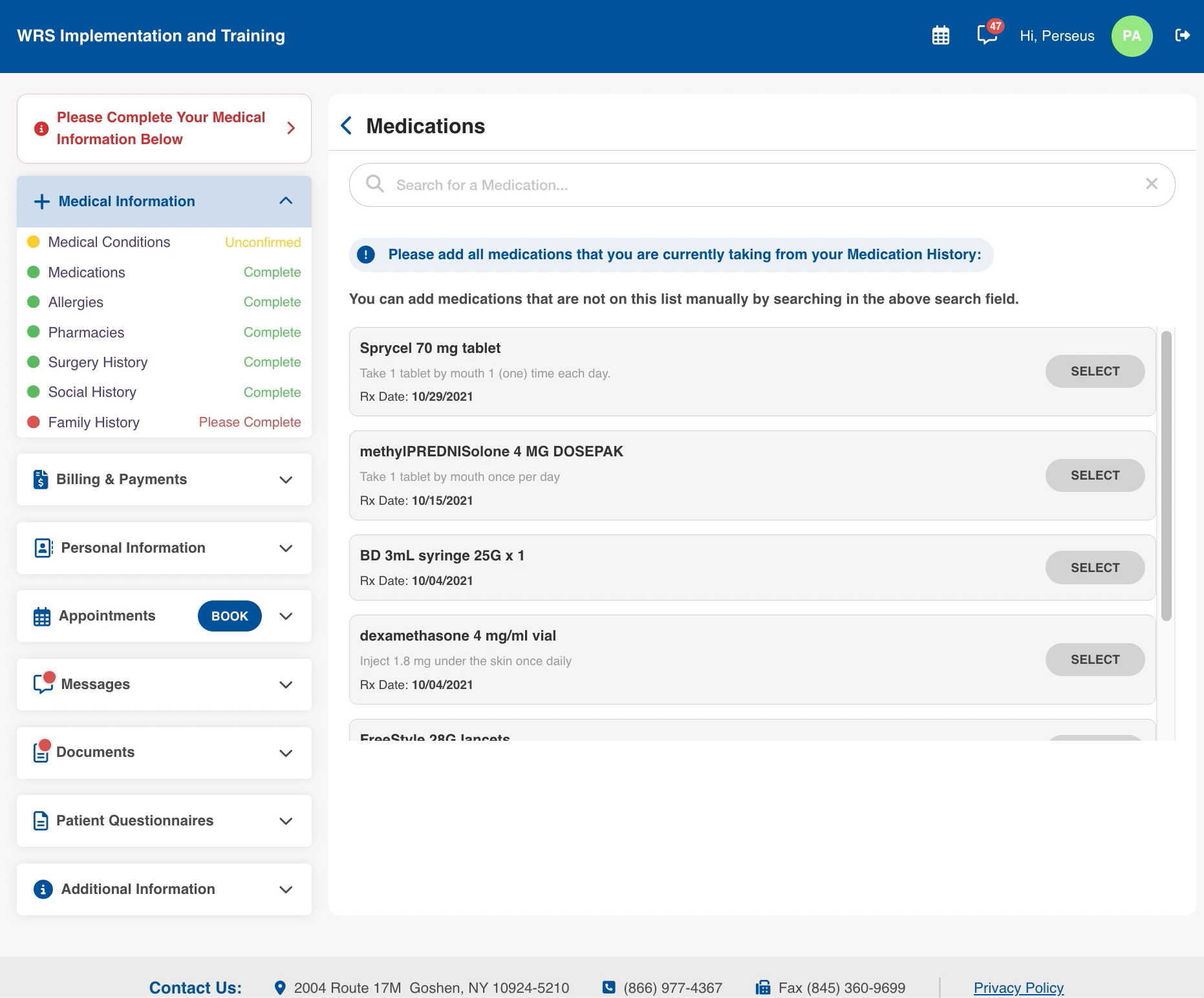
This information can then be reviewed as part of the Medication Reconciliation process.

If you would like more information, please contact your account manager.
Contact Your Account Manager