
| To: | WRS Health Users |
|---|---|
| From: | WRS Development Team |
| Date: | 12/01/2025 |
| Re: | Clickable Patient Names in Email and Task |
Items in This Release
- Clickable Patient Names in Email and Task in Messaging Module
This release includes targeted usability enhancements that make it easier to access patient information directly from Messaging. These improvements reduce navigation steps and support quicker review of patient records.
What’s new
Patient names displayed in Email and Tasks messages are now clickable. Selecting the patient’s name opens the patient’s EMR → All Notes view.
How it helps
Provides quick access to the patient’s chart, histories and documents without needing to perform a manual search.
Where it appears
- Within the Messaging → Emails section, any message linked to a patient will now display the patient’s name as a hyperlink.

- Within the Messaging → Tasks section, patient-linked tasks now display the patient’s name as a hyperlink.
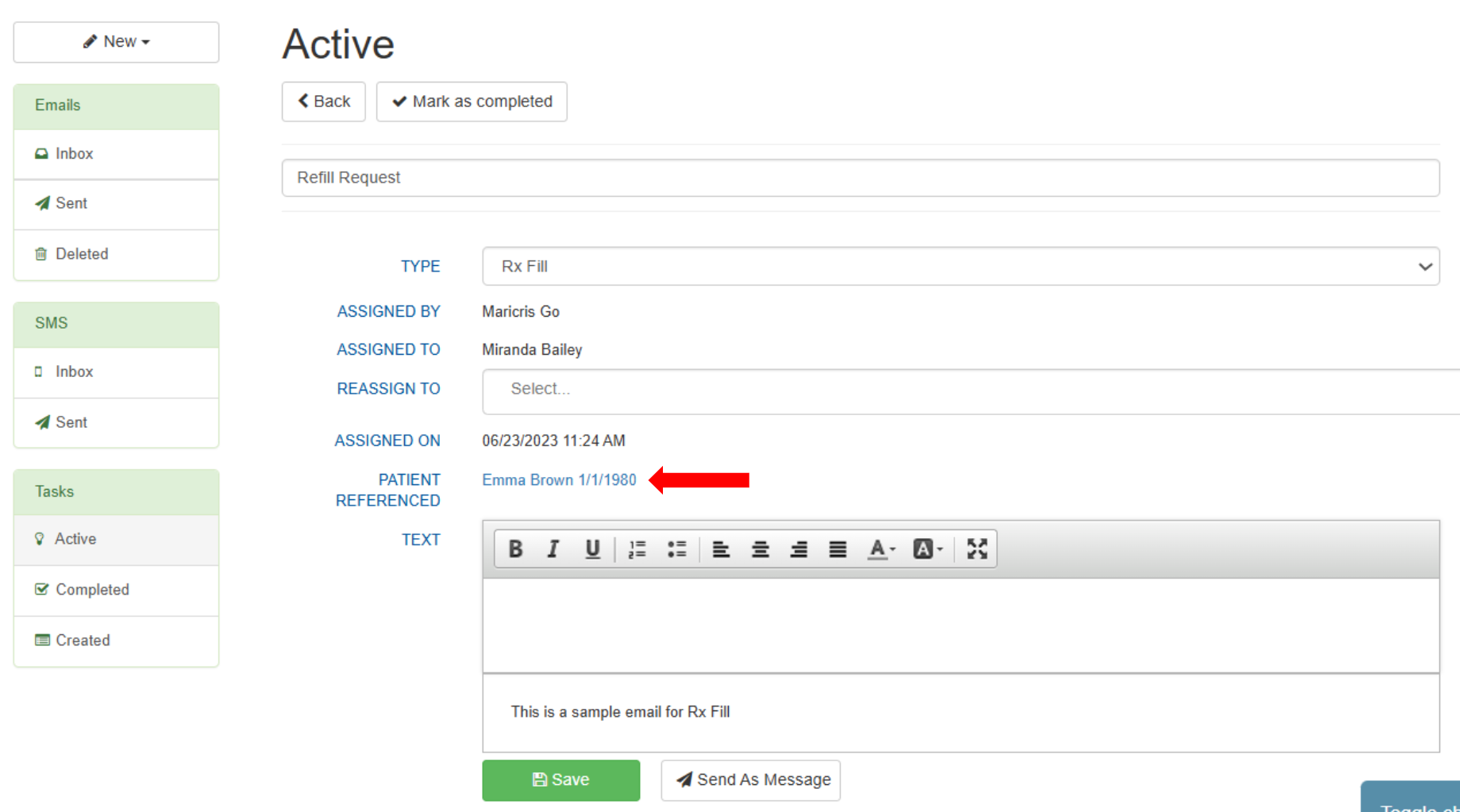
Note: If a task does not have a patient assigned, the field will remain blank.

If you would like more information, please contact your account manager.
Contact Your Account Manager