
| To: | WRS Health Users |
|---|---|
| From: | WRS Development Team |
| Date: | 04/13/2026 |
| Re: | AI Scribe Template Setup & Configuration |
Items in This Release
- Template Setup and Configuration (WRS Admin)
- Manage AI Scribe Template – Practice and Provider Preferences
This release introduces the new AI Scribe template management, making it easier to standardize and tailor clinical documentation across practices.
AI Scribe templates can now be configured as system-wide or customized for specific practices or provider specialty taxonomies, ensuring alignment with clinical workflows and documentation needs.
WRS Admins can manage how templates are structured and made available, while Practice Admins and Providers can select templates that best fit their workflow—supporting more consistent, efficient, and relevant documentation during patient encounters.
What’s New
Centralized AI Scribe Template Management for WRS Admin
Templates can be configured as system-wide and selectively mapped to specific practices or specialty taxonomies, ensuring providers have access to the appropriate templates based on their assigned specialty.
Practice-Level Template Configuration within the EHR
Practice Admins can manage and enable templates based on their workflow and specialty needs.
Provider-Level Template Preferences for Personalized Workflows
Providers can select and apply preferred templates, allowing documentation to align with their individual workflow.
Impact and Benefits
- Better alignment with specialty workflows – templates tailored by practice or specialty-taxonomy ensure documentation reflects how clinicians actually work.
- Enhanced provider experience – providers can select preferred templates, making documentation more intuitive and aligned with their workflow.
- Greater control and flexibility for practices – admins can manage template availability to match organizational and clinical needs.
How It Works
WRS Admin Setup → Practice Configuration → Provider Selection → AI Scribe Usage
- WRS Admin creates and configures templates
- Templates become available in EHR
- Practice Admin enables/configures templates in EHR
- Providers select preferred templates
- AI Scribe and Mobile MD Ambient listening uses the selected templates during documentation
Enable Scribe Templates in EHR (Practice Level)
Go to Administration → EMR Setup → Ambient Listening Templates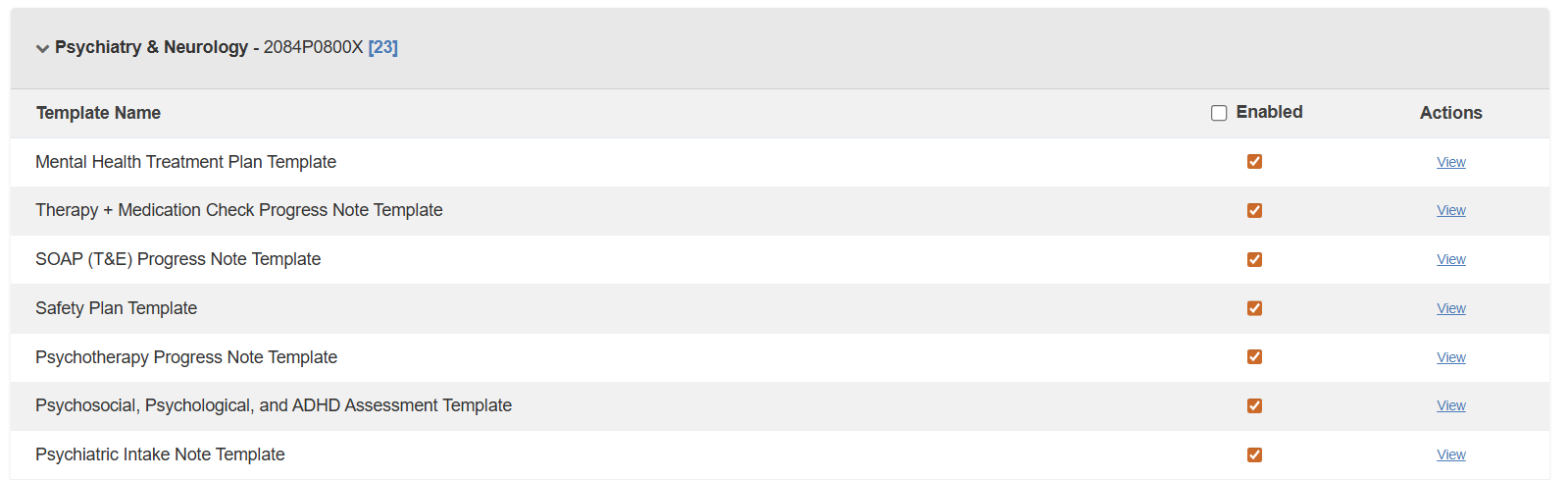
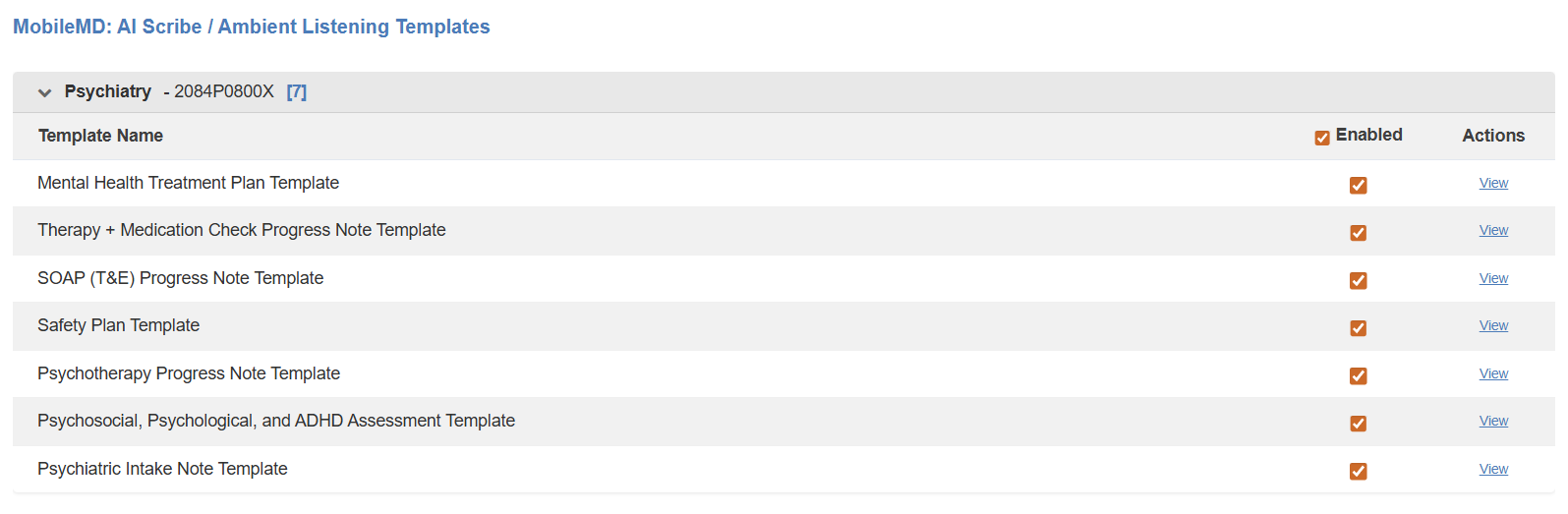
Enable Preferred Templates (User Level)
Go to Preferences → AI Scribe Templates
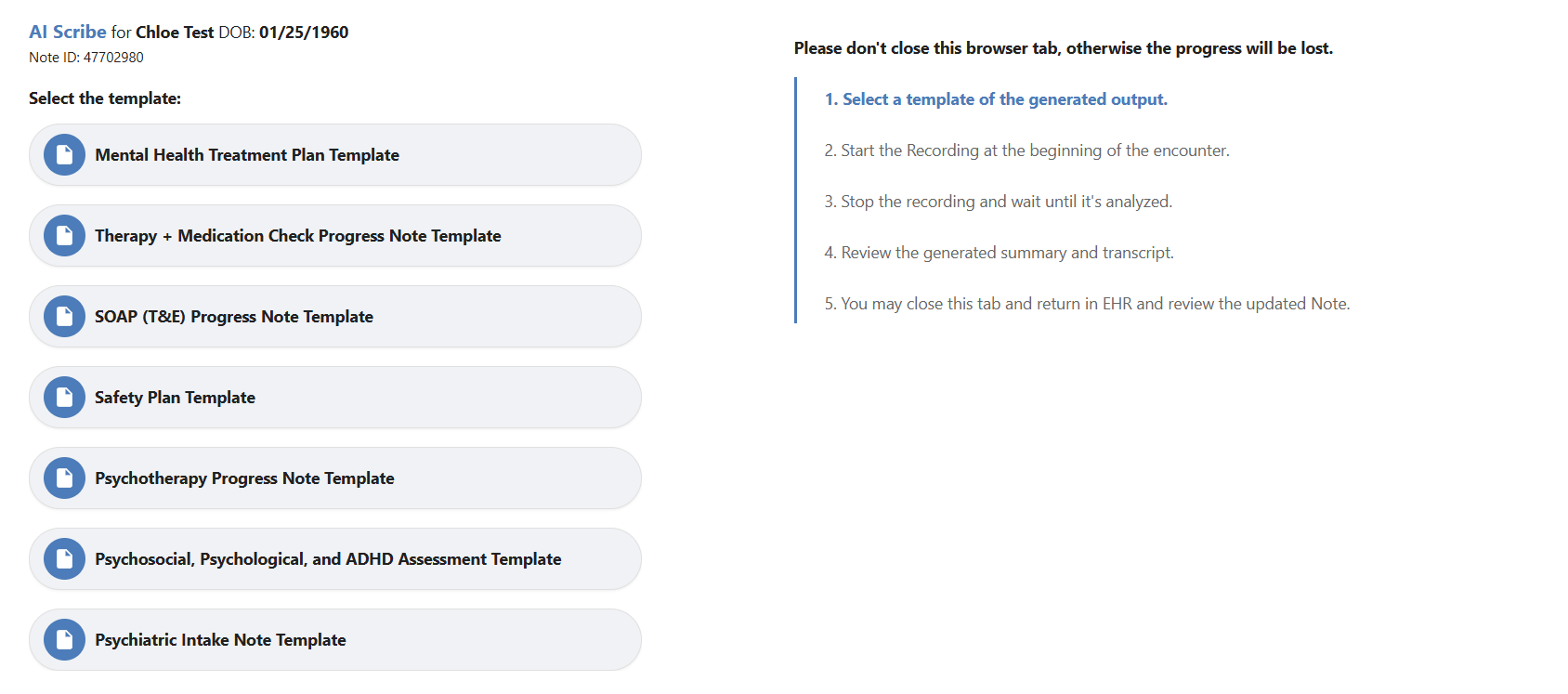
Desktop Ambient Listening
Templates made available in Web Based Ambient Listening based on enabled practice, specialty, and selected preferences.
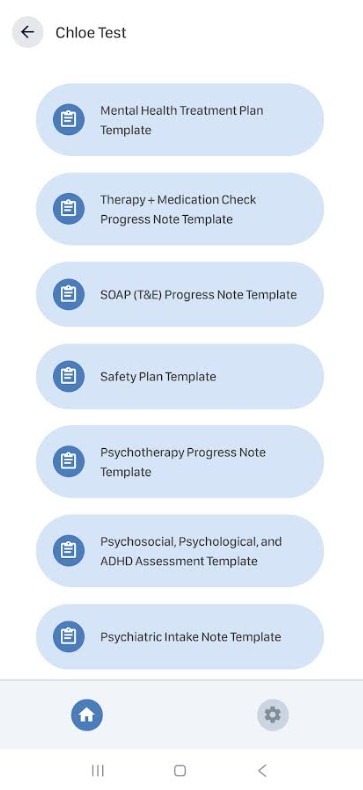
Mobile MD Ambient Listening
Templates made available in MobileMD Ambient Listening based on enabled practice, specialty, and selected preferences.
Check AI Scribe Template Management for the full workflow guide.
Enablement
AI Scribe can be enabled for your practice upon request. Please contact your Account Manager to learn more about activation.
.

If you would like more information, please contact your account manager.
Contact Your Account Manager