
Patient Signature and Consents User Guide
Patients can view, review, and sign their consent forms directly from the Consents section of the Documents tab in the Patient Portal. Both signed and unsigned consent forms are available in one centralized location, making it easy to complete required consents and review previously signed documents.
This section explains how patients can access consent forms, sign them electronically, and view completed consents along with their timestamps.
Sign Consent Forms in the Patient Portal
Patients can review and sign consent forms directly from the Patient Portal.
- Log in to your Patient Portal account.
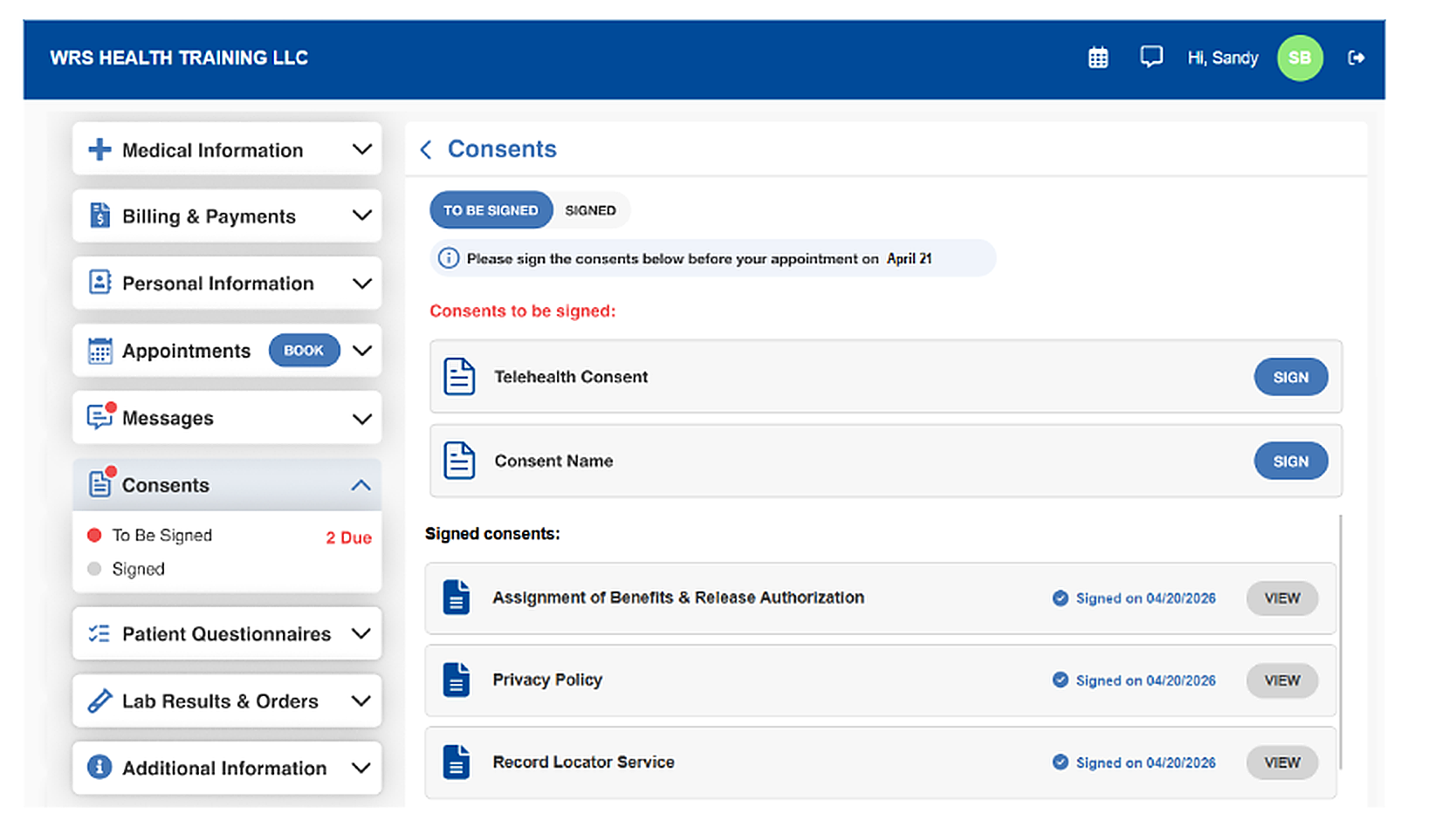
- Navigate to Documents → Consents.
- From the list of available consents, select the document and click Sign to open it.

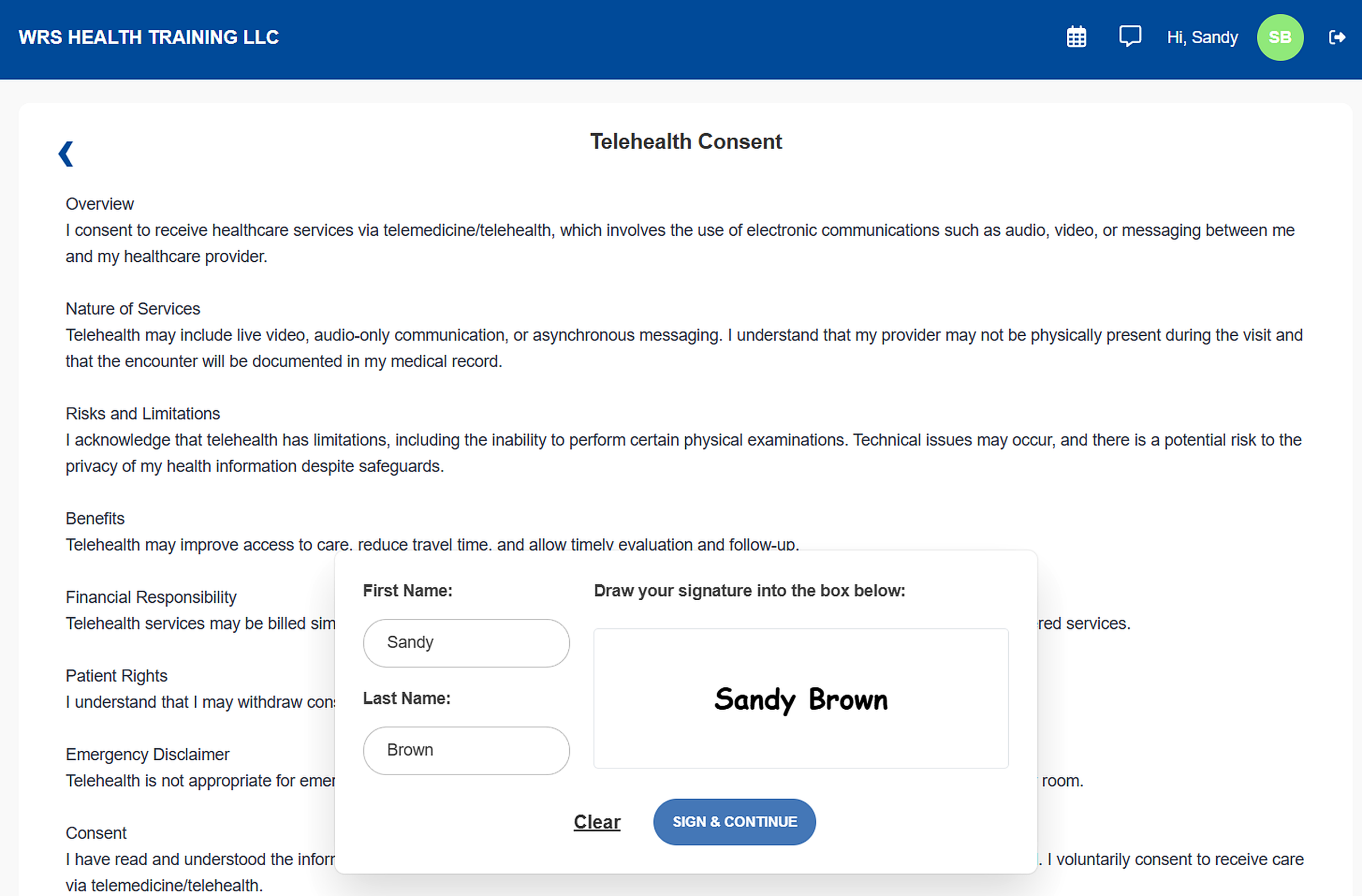
- Read the consent form carefully, then click Sign & Continue.
- You can also draw your signature manually in the signature pad.
- Click Clear to reset the signature pad if needed, then click Sign & Continue to submit.
Viewing Signed Consents
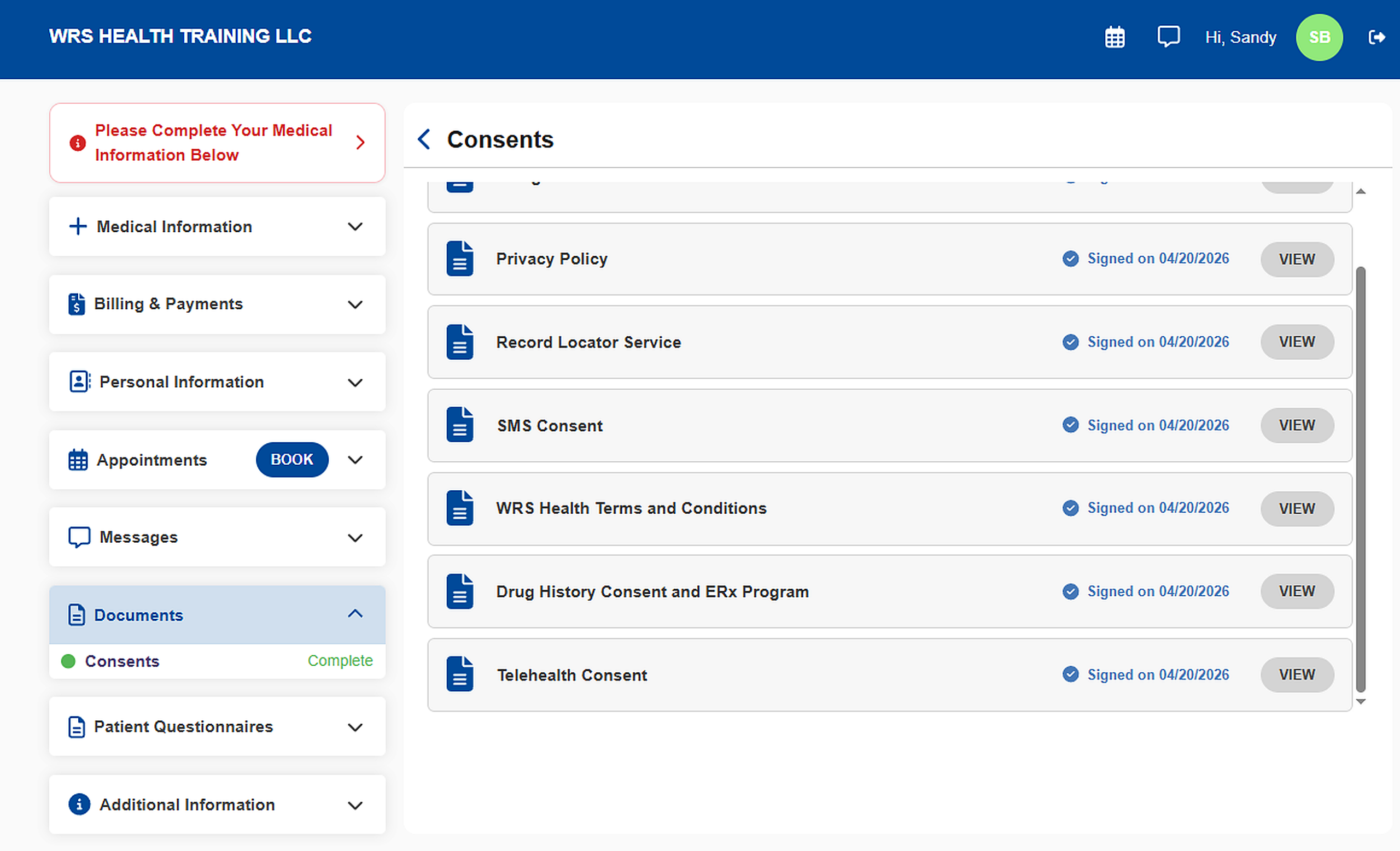
Signed consent forms are automatically archived in the Signed Consents section at the bottom of the page.
Each signed consent record includes a timestamp and a View option for easy reference.

Still no luck? We can help!
Contact us and we'll get back to you as soon as possible.
Submit a Request