
| To: | WRS Health Users |
|---|---|
| From: | WRS Development Team |
| Date: | 05/13/2026 |
| Re: | Surgery Queue- Usability Enhancements |
Items in This Release
- Surgery Queue- Usability Enhancements
We are pleased to announce new improvements to the Surgery Queue module, designed to help users manage surgery records more efficiently, improve visibility, and organize scheduled and unscheduled surgeries with greater ease.
What’s New
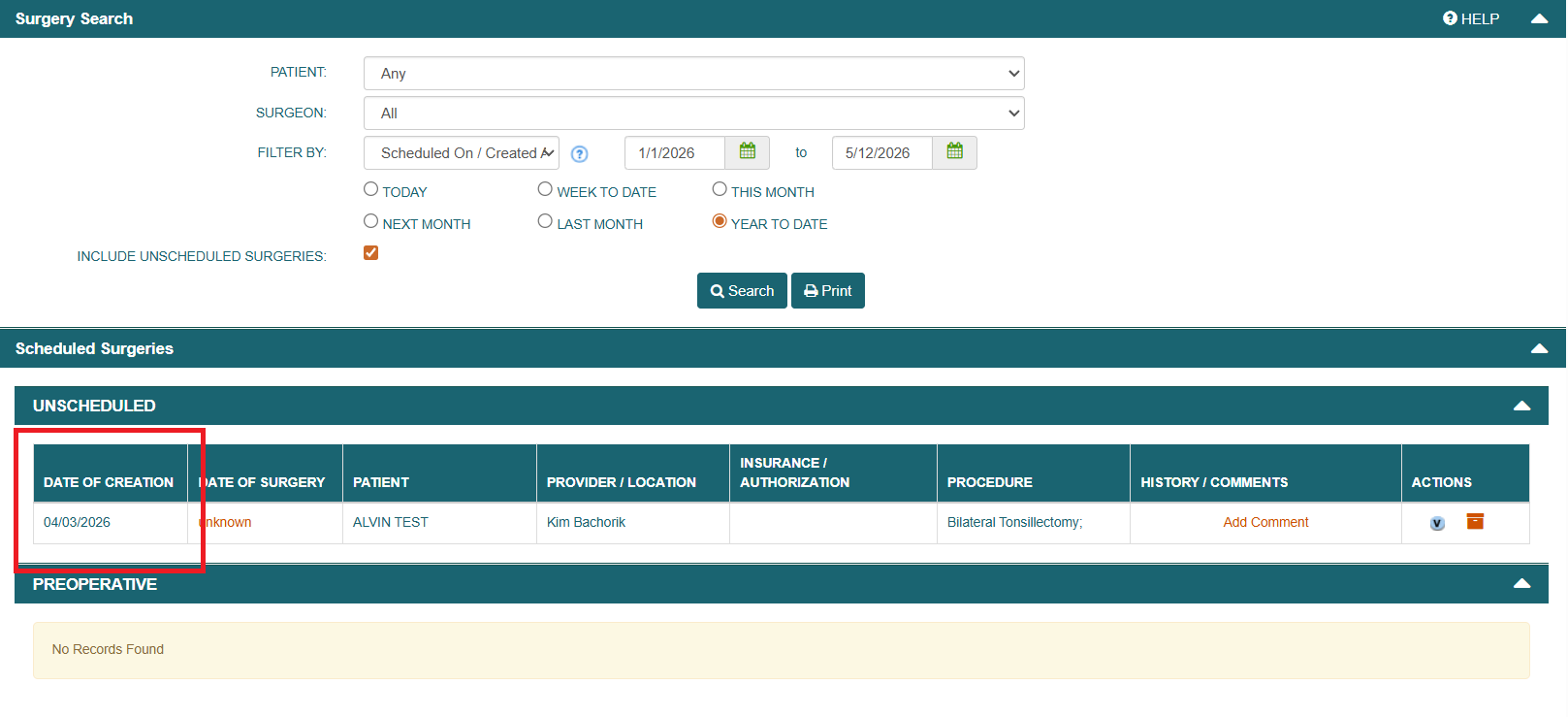
- Date Of Creation Column
This addition allows users to quickly identify when each surgery record was created, making it easier to track newer requests, review older entries, and manage the queue more effectively.
Navigate to EMR → Surgery Management → Conduct Search (Include Unscheduled Surgeries)

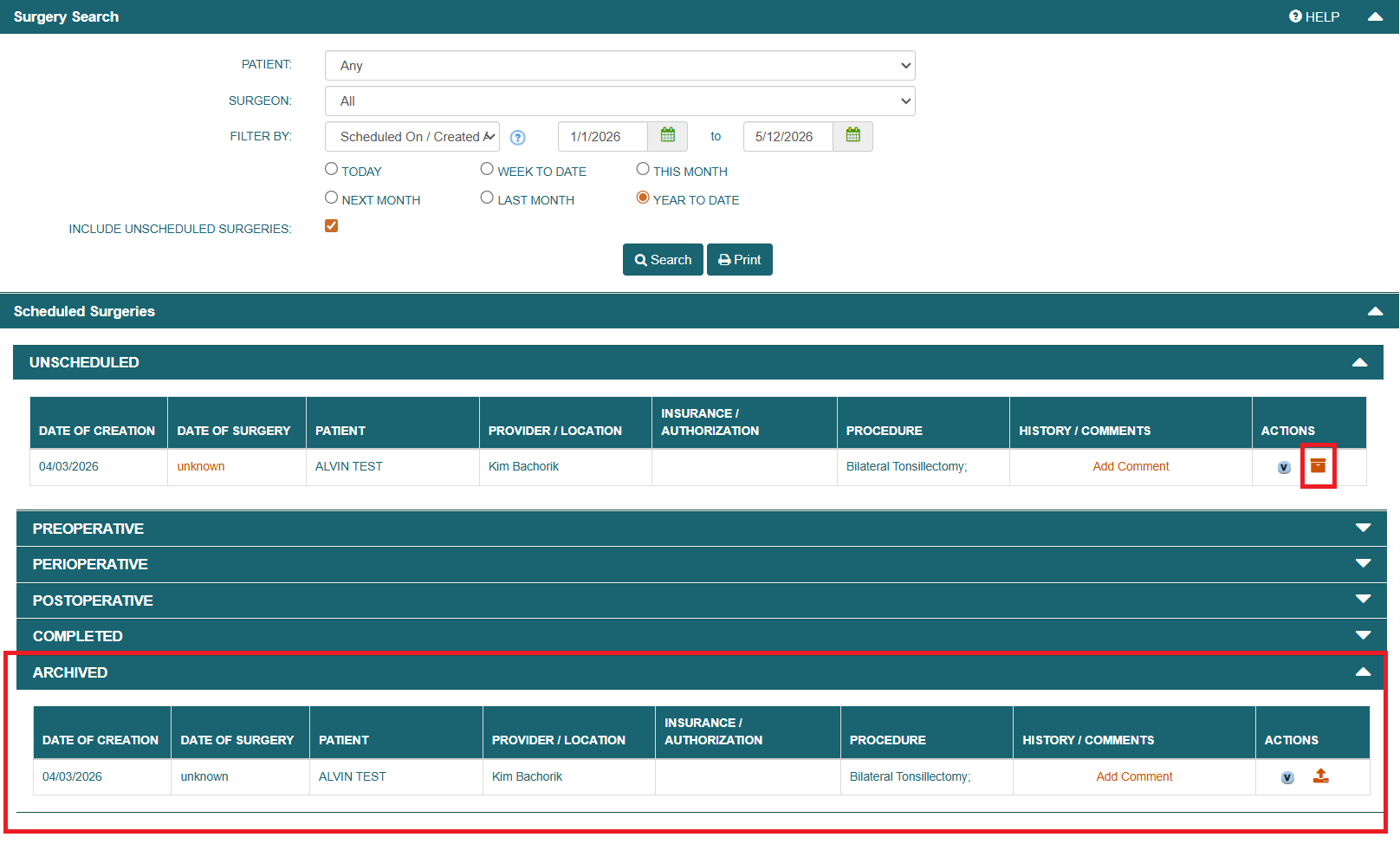
- Archive Functionality for Unscheduled Surgeries
Users can now archive and unarchive unscheduled surgeries. This enhancement helps keep the queue organized by allowing users to remove inactive or no-longer-needed unscheduled surgeries from the active view, while still keeping them accessible when needed.Steps:
- Navigate to EMR → Surgery Management → Conduct Search (Include Unscheduled Surgeries)
- From the Unscheduled Surgeries List, select a record to
 Archive. The record will then gets added to the Archived List.
 - To unarchive , go to the Archived List at the bottom of the page and select the record you want to restore . The record will return to its original location in the Surgery Queue.
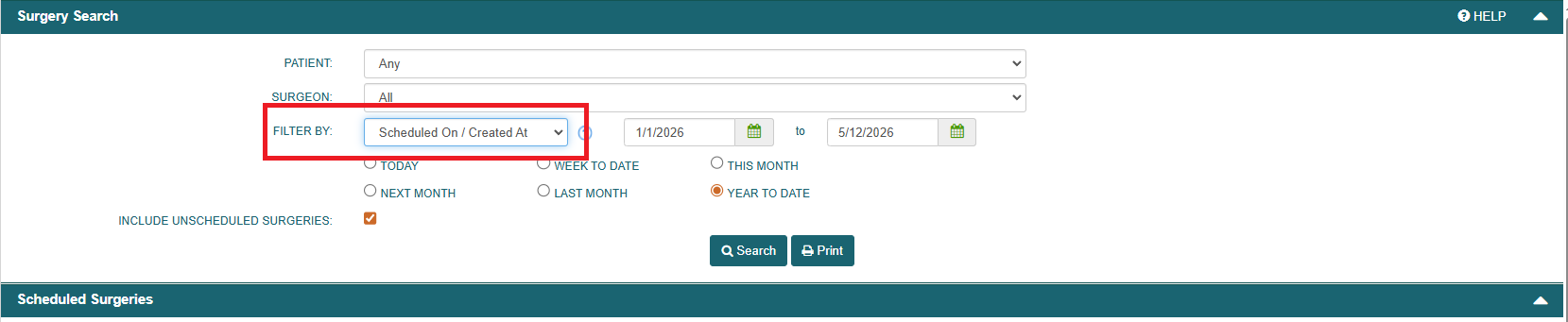
- Improved Date Filtering
The date filter has been enhanced to apply to both scheduled and unscheduled surgeries. When users select a date range or specific date, the filter now returns more complete and consistent results across the Surgery Queue.
Navigate to EMR → Surgery Management → Conduct Search (Include Unscheduled Surgeries)


If you have any questions or need assistance, please contact your Account Manager.

If you would like more information, please contact your account manager.
Contact Your Account Manager